
Improving the conversion rate of your forms: I tested progressive profiling
As you know, forms are an opportunity to generate qualified leads and learn more about your contacts. Progressive profiling therefore seems to me to be a very useful feature for improving the conversion rate of your forms. By implementing it at Webmecanik, I boosted my conversions while improving the UX for my visitors and enriching the information collected on my MQLs and SQLs.
Today I’m telling you everything, step by step!
Best practices for a form that converts
To start, I took a quick look at the statistics and studies on the subject. Here’s what came out of it:
- The completion rate of a form increases by 50% when moving from a 4-field form to a 3-field form
- Asking for the phone number causes 37% of visitors to abandon the submission partway through*
* source: https://www.quicksprout.com/contact-form-conversion-rate/
Based on these two major findings, I decided to work with 3-field forms (thanks to progressive profiling), making sure to ask only for useful data that I do not already have at the time it is requested.
For example, I run a lot of email nurturing campaigns that are personalized according to each lead’s profile (the marketing team at my prospects does not have the same questions as the technical team, for example). It is therefore more interesting for me to know the position held by my lead than their phone number.
Create an effective form
I then created the dynamic form. Here again, I followed the main rules that increase form submissions: clear information, drop-down lists whenever possible with a few answers, precise enough for my automated segmentation , broad enough for the user to agree to answer.
I then chose to keep the “email” field in each form, because it is the most important piece of data, especially in marketing automation (besides, the email address is the unique identifier of a contact in our database), combined with two fields that the visitor has not yet filled in.
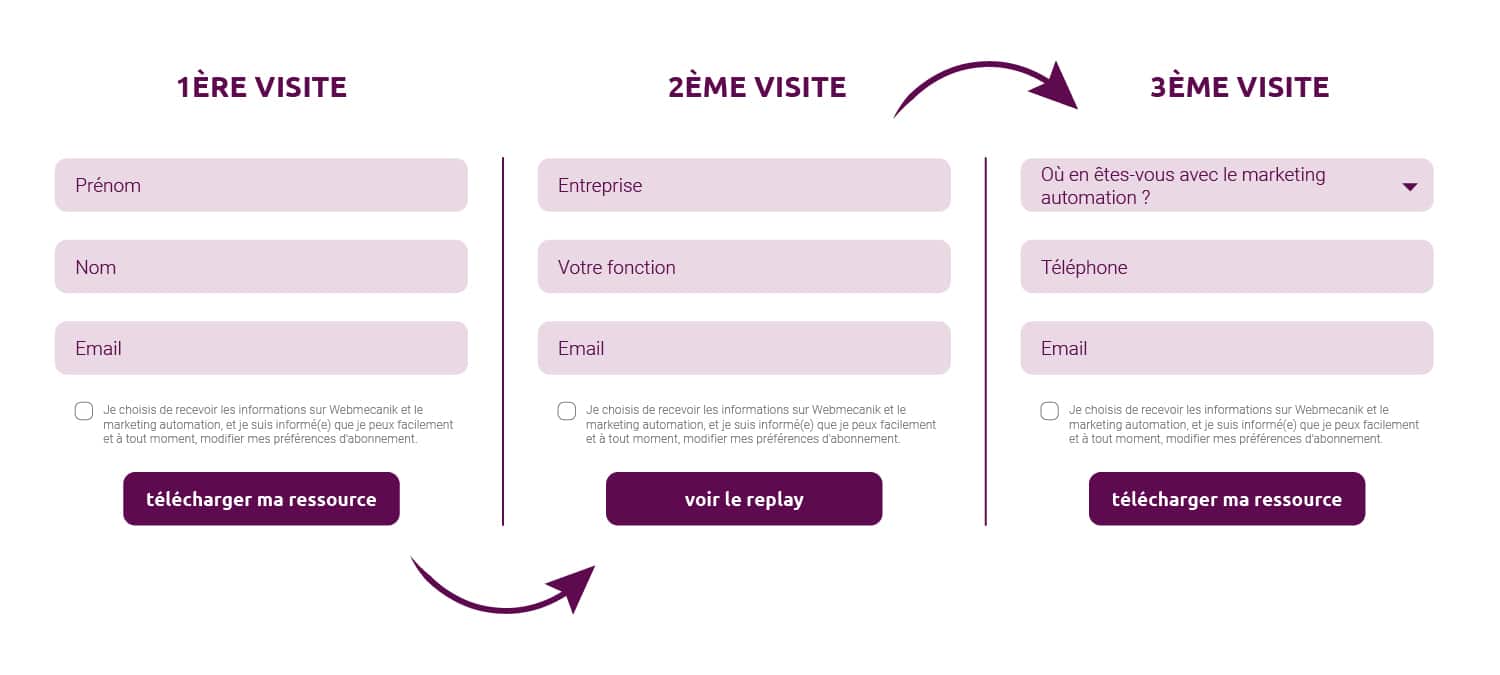
As my form triggers an autoresponder with the document to download, I clone it, modify the autoresponder, and place the script for my dynamic forms on my various download pages for tracked resources. And that’s it!
Quick tip: to mark a contact’s source, I regularly use hidden fields in my forms. They are useful for indicating the origin of a lead, which is essential for measuring the ROI of my marketing actions. In the case of progressive profiling, these fields are placed at the very bottom so as not to interfere with the number of fields to display. On the other hand, they are automatically filled in on the contact record from the very first submission.
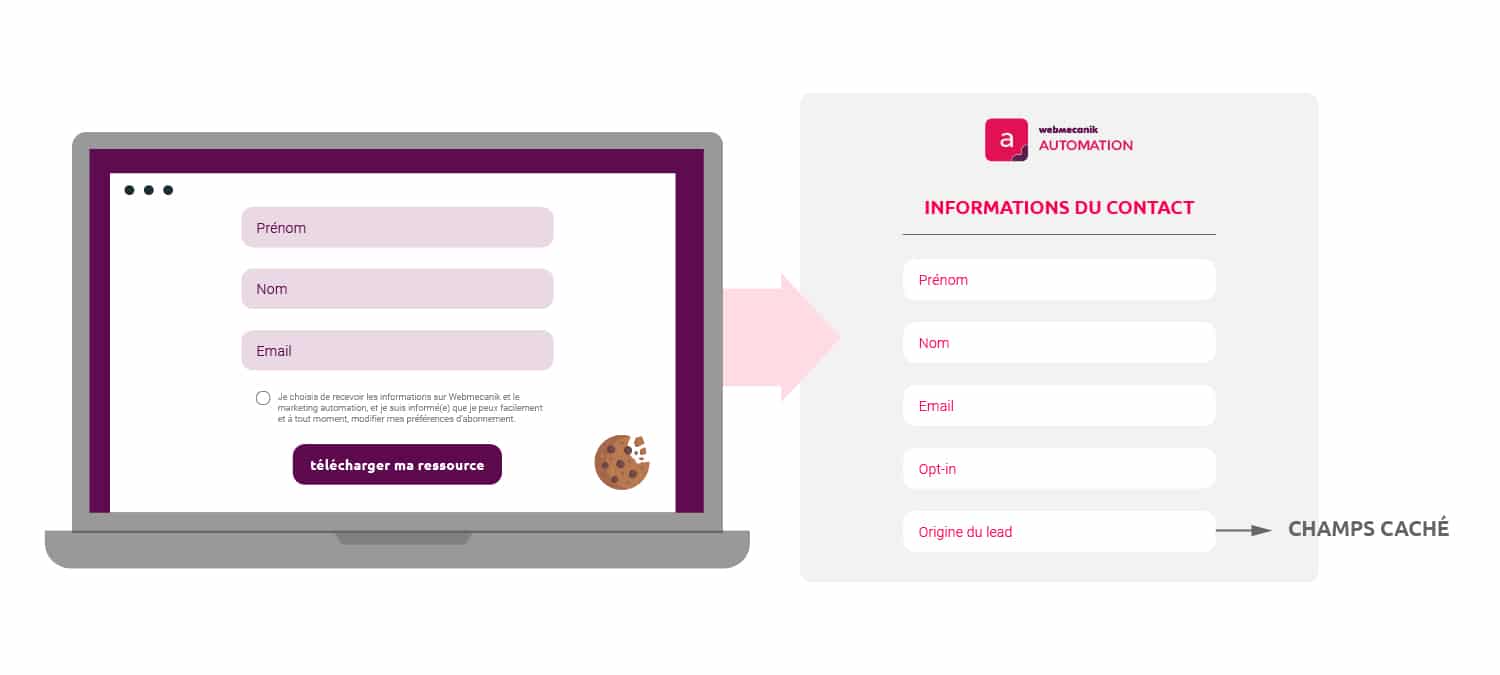
The conclusion is clear: I improved the form submission rate by limiting the number of displayed fields in just a few clicks, and this allows me to increase the amount of information for each contact. The form conversion rate is better. In fact, a prospect who downloads 3 of the many e-books we offer already gives me more than 7 pieces of information about themselves!
Thanks to this, my nurturing campaigns are more personalized and therefore more effective. A complete success for progressive profiling!
Support article: View