The different types of pop-ins available
Differences between pop-ins and pop-ups
What is a pop-in?
First of all, let me explain what a pop-in is. A pop-in is a kind of small window displayed on a website. They can take several forms. Pop-ins are often used to collect data from your users (mainly to gather their email address). In order for users to provide what you expect from them, you obviously need to offer them added value. You can offer them either exclusive content or a subscription to your newsletter.
They should be part of your marketing strategy. It is up to you to decide at which stages of your conversion funnel you want to integrate them. You can increase your engagement rate and your conversion rate provided your pop-ins are well positioned on your website. Make sure to design them properly and integrate them at the right time. If a pop-in is poorly executed, it can slow down or even interrupt your visitor in their buying journey. ?
The different types of pop-ins available
There are different types of pop-ins, and it is up to you to choose which pop-ins are best suited to your strategy. I advise you to set yourself an objective to understand why you want to implement pop-ins on your website. Also ask yourself what results you want to achieve thanks to your pop-ins. You can decide to implement pop-ins in order to collect data on your visitors and generate leads. They can help you highlight an offer or a link.
Classic pop-in
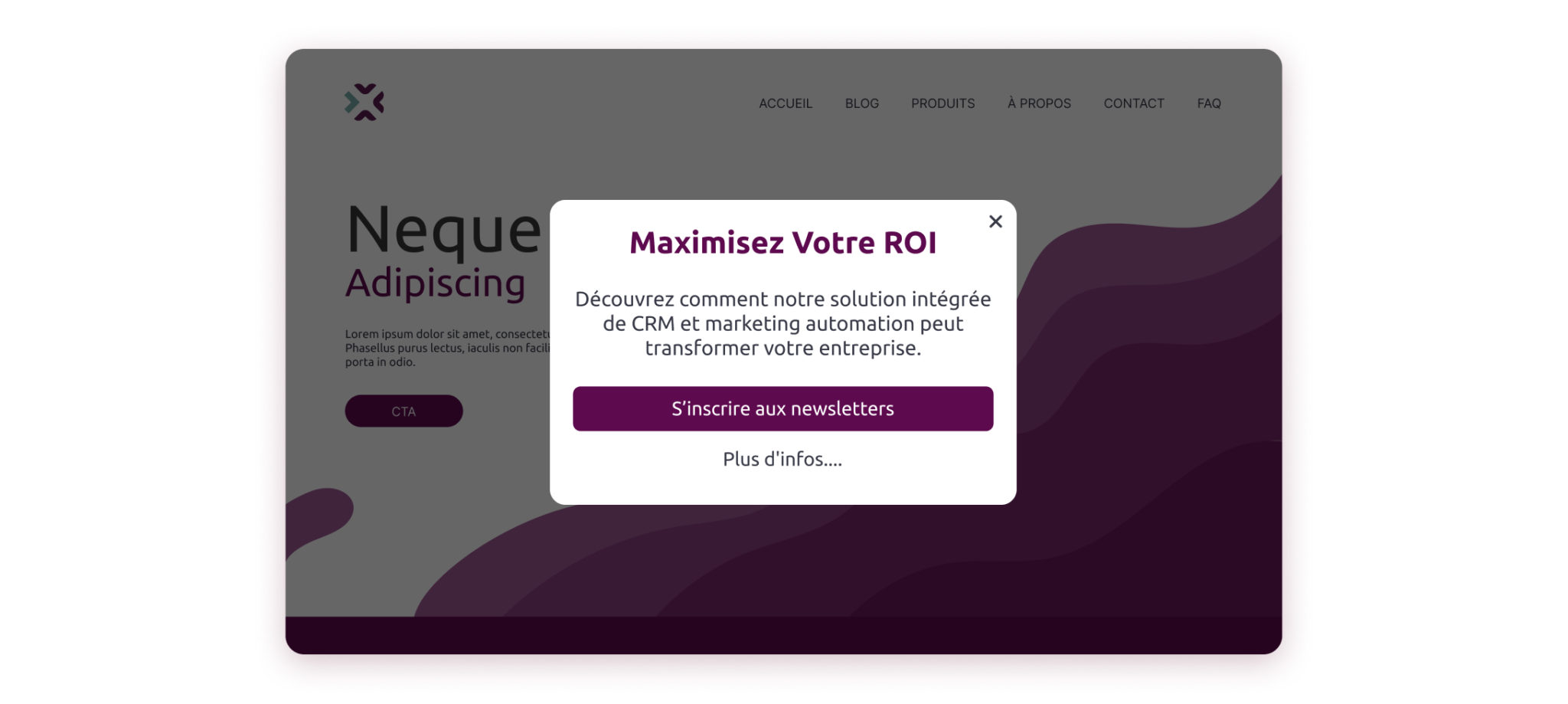
The classic pop-in is a window that appears in the center of your screen, often with a dark background that “masks” the rest of the page. This type of pop-in is used to capture your user’s attention. You set this up in order to encourage them to interact with your message or take an action. They are effective for generating newsletter or offer sign-ups.
Scroll Box
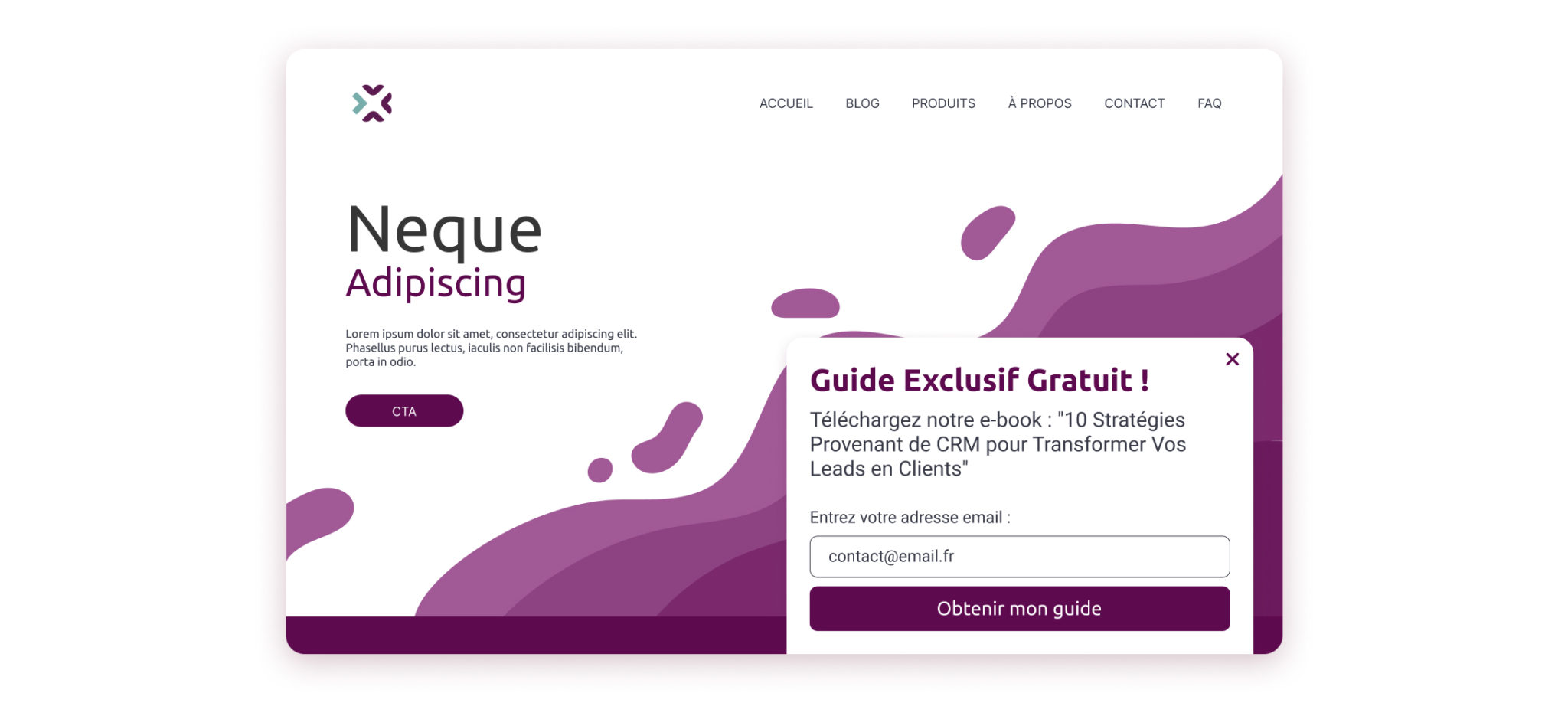
A scroll box is a pop-in that appears in a corner of the landing page when the user scrolls down the page to a certain point. Less intrusive than the classic pop-in, the scroll box is often used to suggest downloading a lead magnet or sharing additional content without disrupting your user’s browsing. This is the format that gets the best conversion rates among Webmecanik users.
Smart bar (mobile friendly)
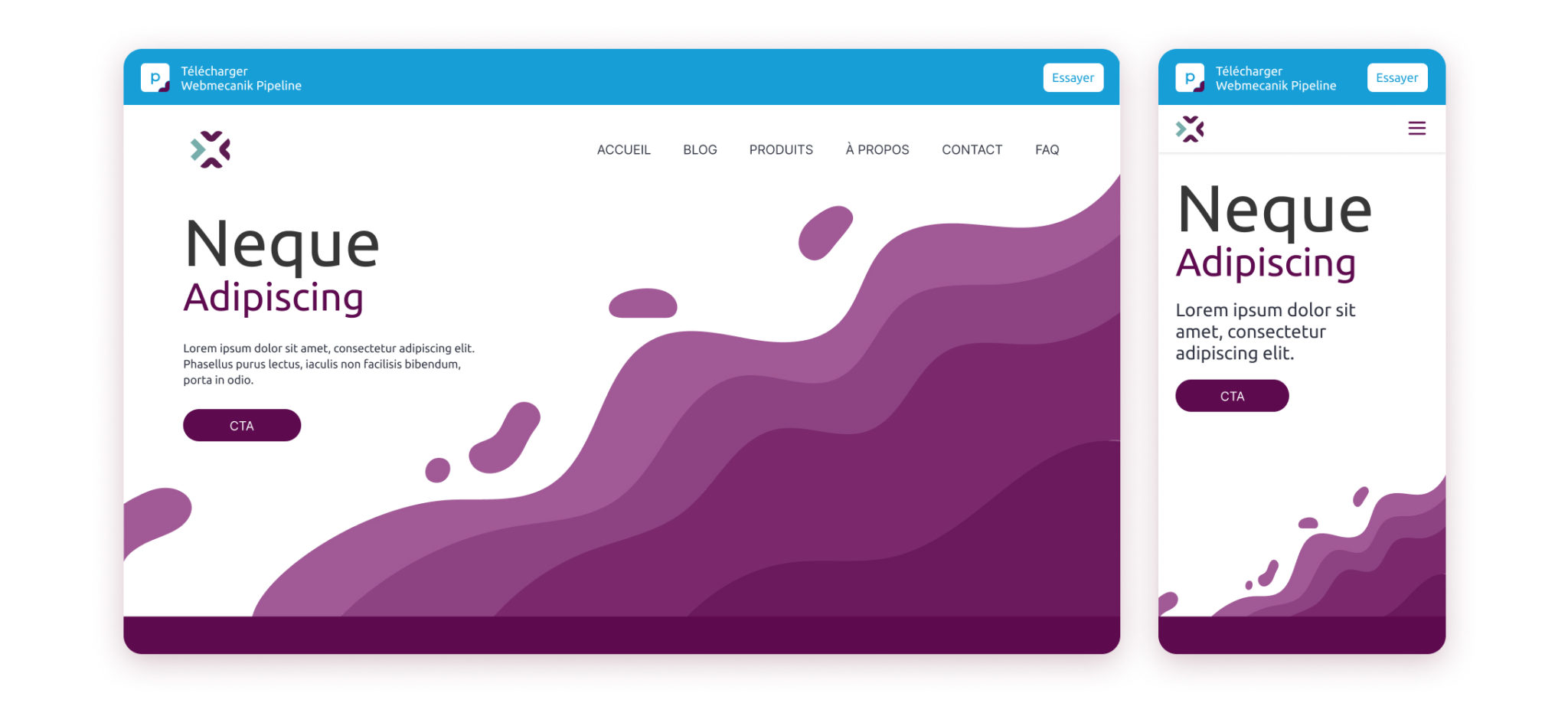
The smart bar is a horizontal bar that takes up the full width of the screen and can be displayed at the top or bottom of your page. This type of pop-in stays in place while the page is being scrolled. This pop-in is ideal for important announcements or calls to action, such as downloading an app or cookie alerts.
Welcome mat
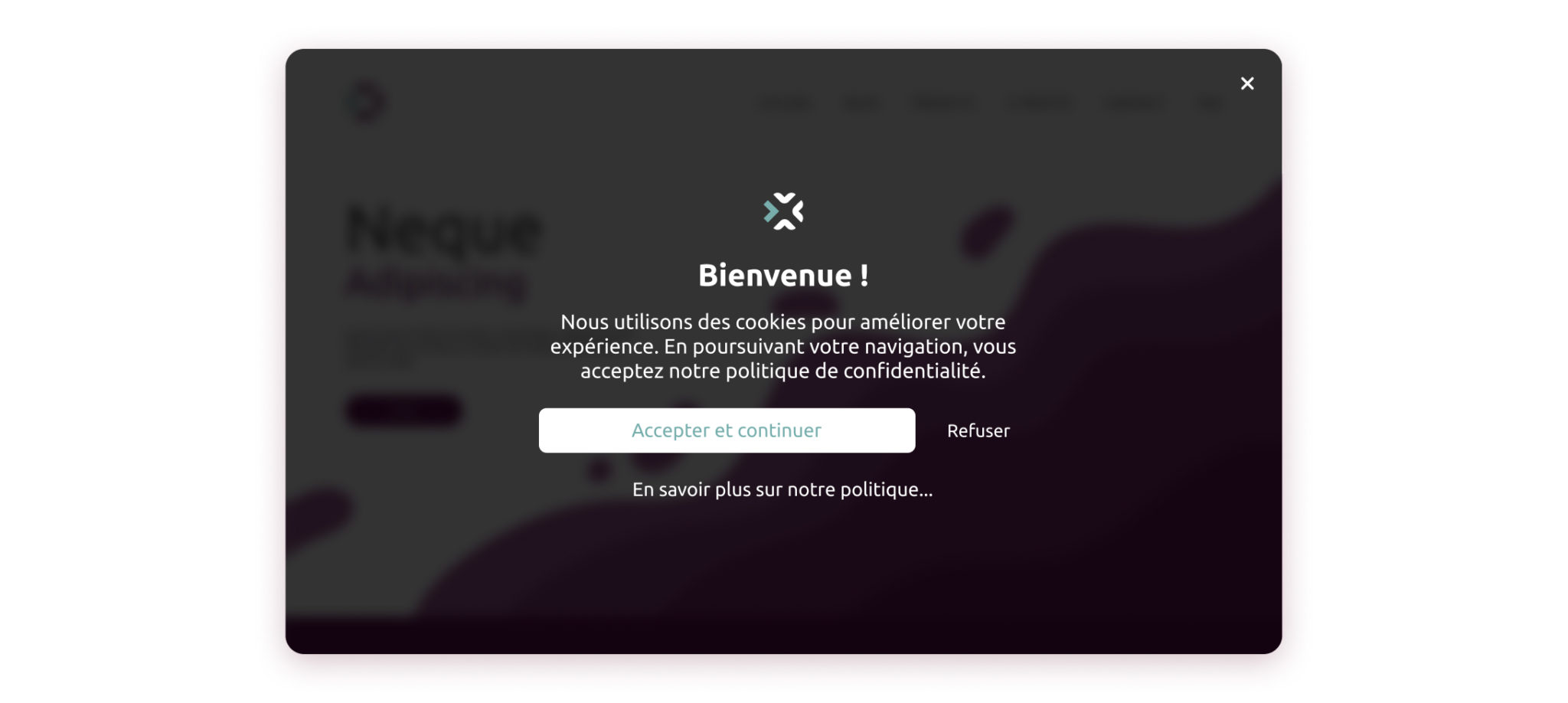
The “welcome mat” pop-in is a full-page window that appears as soon as visitors arrive on your website, ideal for cookies. ? This pop-in encourages the user to interact with you from the very first moments of their visit. Make sure to pay close attention to how you implement it so that this pop-in does not seem intrusive.
Click trigger pop-in
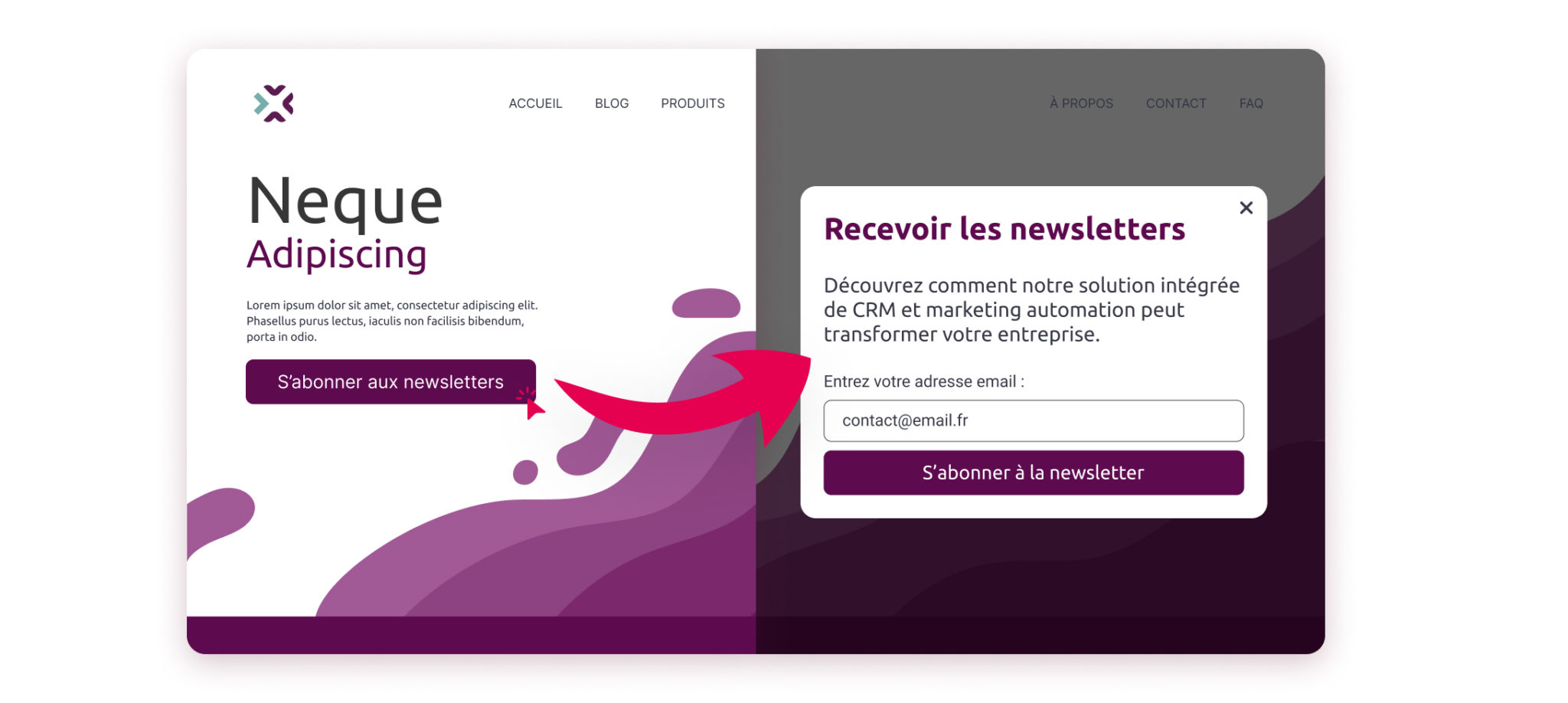
The click trigger pop-in is displayed only when the user performs a specific action, such as clicking on a particular link, button, or image. This method is relevant for exclusive content. Thanks to this, you can keep the page uninterrupted while still offering interactions to users who are interested in your message. This type of pop-in is generally confused with pop-ups. Psst, I’ll tell you a little more about them below. ?
How to trigger pop-ins
You now know the different types of pop-ins, now you need to trigger them on your website (on your pages). Of course, thanks to your Webmecanik Automation automation software, you have the possibility of simplifying the triggering processes. Here are some criteria for triggering your pop-ins:
- Time spent on a page
You can trigger a pop-in when a user spends a certain amount of time on your page.
- Action performed by a user
As explained for the click trigger pop-in, it is possible to trigger it following a specific action performed by the user, such as a click on a particular CTA or an image.
- User who wants to leave your site
It is possible to trigger a pop-in when a user intends to leave your page. A sort of last call. ? It is possible to schedule this type of pop-in thanks to predefined criteria within your software.
- Scroll time
You can define a delay that gives your reader time to scroll through the page they are on. This allows your reader to take a “break” in their reading.
- Identifying a user
When you have identified a user who has already visited your site, it is possible to set up a specific pop-in intended for them. This is the most personalized way to use a web pop-in.
Differences between pop-ins and pop-ups
As promised a little above, I’m going to tell you about the difference between pop-ins and pop-ups. You have probably already wondered what the nuances were between the two. Well, it is quite simple: the pop-in is a new window that opens within the page itself. Pop-ups, on the other hand, open on a new page. Pop-ups are generally perceived as intrusive. Unlike the pop-up, the pop-in leaves the possibility of interacting with the content of the page (on which it is triggered). The pop-up captures all the attention. If you decide to integrate them into your website, follow some common-sense rules so as not to harm your user’s experience. It is generally triggered after all the elements of the page have loaded in order to avoid interrupting your user’s browsing.
You now have all the information you need to create and implement pop-ins. It is up to you to choose the one you consider relevant for your website and your strategy.
To integrate them optimally, it is essential to trigger them intelligently. It is a communication channel in its own right. That is why you need to think about it strategically. Pop-ins are put in place not only to capture attention, but also to offer added value that encourages interaction and conversion.