Do you want to generate more leads, convert more prospects, retain your customers, or have you just joined a marketing team and your managers are asking you to get familiar with marketing automation tools? Don’t panic—discover in just a few steps how implementing a marketing automation tool will help you. The priority? Finding the software you need! ?
Compare marketing automation tools
The steps to implementing the software
How to set up marketing campaigns
The first marketing automation campaigns to set up with your tool
Assess your marketing needs
Before you begin implementing your marketing automation tool, you first need to ask yourself what your needs are. To do this, you need to assess several aspects.
- First of all, the number of contacts in your database affects the software capacity required to manage and process your contacts.
- The budget you are willing to allocate determines the options that will be available to you.
- The size of your team—that is, how many people are able to manage a marketing tool—is also crucial.
- The time you have available to implement and manage the software is another determining factor.
- Whether you work in B2B or B2C influences your marketing strategies and the features you will need to target and convert your prospects.
- Define the channels you want to use, such as emails, SMS, etc.
- Determine whether you need support or training for configuring and using the software.
This will allow you to make full use of the available features. By clearly identifying your needs, you can then determine the features you may need, such as segmenting your database, using custom objects to categorize your contacts and A/B testing to optimize your campaigns.
Compare marketing automation tools
Choosing good marketing automation software is aimed at generating more higher-quality leads. Although some major players offer low monthly prices, they often provide few features or services, with hidden costs and a potential need for outside help. It is advisable to invest in software that is transparent and clear in its positioning, and to opt for an average price point in order to avoid unpleasant surprises.
Marketing automation software prices range from €49 to €2,000 per month, often because training is not included. It is crucial to take training in order to use the software effectively and achieve your goals.
Choose a tool that fits you
Implementing a marketing automation tool also involves choosing a tool that fits you. We advise you to take your company values into account. For example, if you are strongly focused on GDPR compliance, you will therefore choose a “GDPR-friendly” software solution that assures your company and your customers that your information will be managed securely and transparently.
The steps to implementing the software
Get trained in marketing automation
After choosing your Marketing Automation software, getting support through training is the best way to optimize your marketing results. The goal here is to master marketing fundamentals like the back of your hand (CRM, inbound marketing, email marketing, etc.) so you can be fully prepared when implementing your marketing strategy.
Webmecanik Automation, for example, offers training called Webmecanik Academy, made up of videos of around ten minutes and dynamic quizzes to make any marketer autonomous. If you wish, Webmecanik also offers regular follow-up with a member of our team dedicated to your project.
Synchronize your entire ecosystem
For all these actions to be effective, it is crucial to synchronize your marketing ecosystem. Integrating your software with the other tools you use (especially your CRM) will enable smooth and consistent management of all interactions with your prospects and customers.
Create marketing automation campaigns
With your ecosystem synchronized and your training completed, it is now time to create your first workflows. It is up to you to create them to automate the processes you want to optimize: lead generation, improved productivity, and efficiency. More personalization, more conversions, more loyal customers, all while reducing errors.
How to set up marketing campaigns
Choosing the target audience for your campaign
The first step is to define your target audience. Who are you addressing? What segmentation do you want to adopt? Identifying your target audience is crucial for the success of your campaign. If you have not yet defined your ideal persona, we recommend downloading our kit
? Download our kit.
Define your objective
Next, it is essential to define your marketing goals. What will this campaign be used for? What is the ultimate action you want your contacts to take (demo, purchase, download, etc.)? Defining clear objectives will help you structure your campaign effectively.
Define the steps of the journey
Once your objective has been defined, you need to plan your persona’s journey through your campaign. What conditions and actions will lead your contacts to achieve this objective? To help your visitor progress through these stages, it is essential to create a message tailored to your persona.
Create content and messages
For each stage of the journey, you will need to develop various types of content and messages, including:
- Forms: To collect the necessary information about your prospects.
- Landing pages: To convert visitors and collect data using forms, pop-ins, etc.
- Emails: To maintain contact and guide your prospects through your campaign.
- Pop-ins: To capture visitors’ attention at strategic moments; this can also be the starting point of one of your campaigns
- Dynamic content: To personalize the user experience based on demographic, behavioral, and other factors.
The first marketing automation campaigns to set up with your tool
There are different types of campaigns to get started with marketing automation, and it is up to you to define which workflows are best suited to your objectives:
- Lead nurturing: series of automated emails designed to nurture prospects and guide them toward purchase.
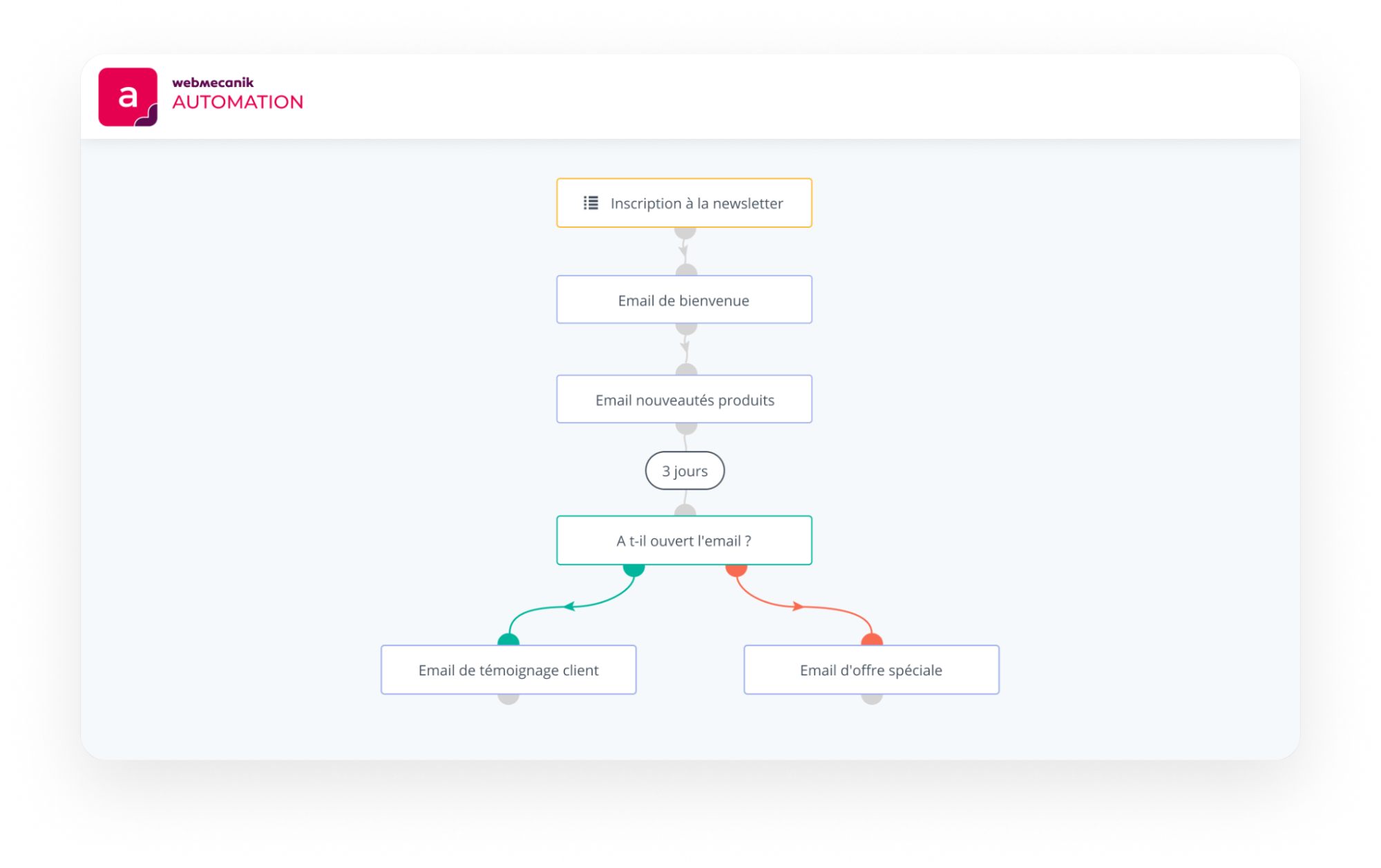
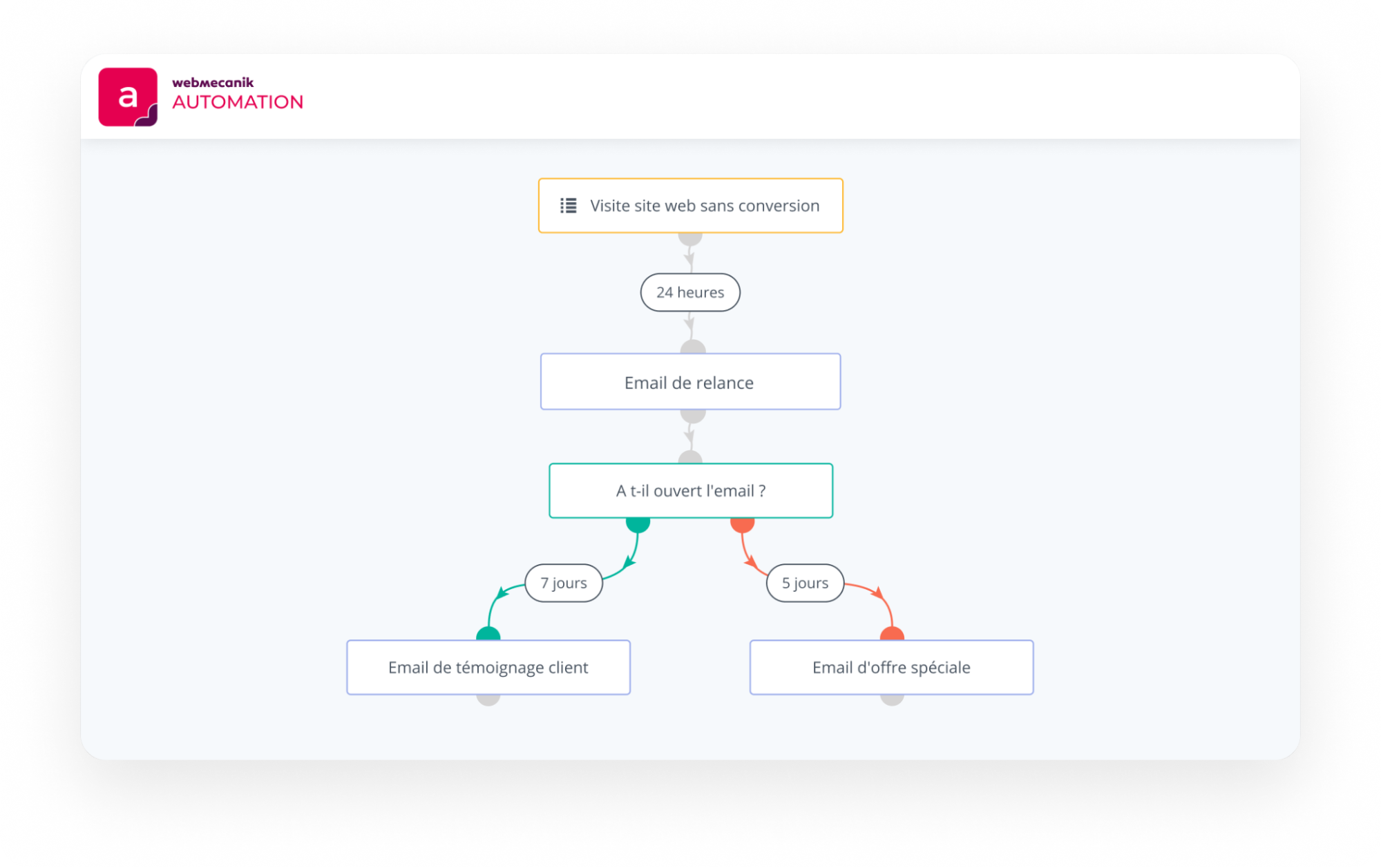
- Retargeting campaigns: this campaign aims to target users who visited your website but did not make a purchase or sign up.
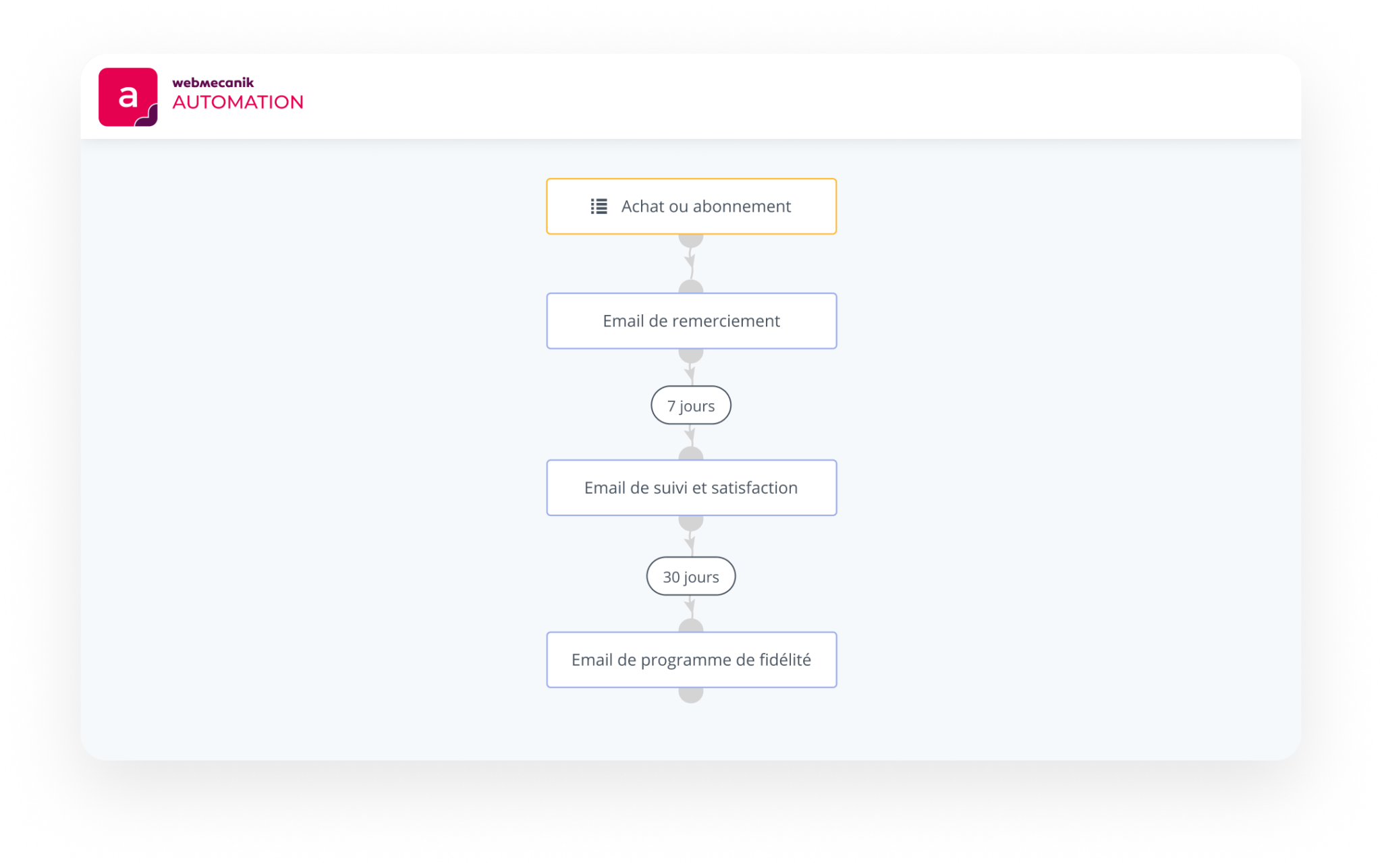
- Loyalty campaigns: series of emails intended to build loyalty among existing customers, for example with exclusive offers.
More advanced campaigns to become an expert in marketing automation
- Lead segmentation and scoring: these two techniques allow you to prioritize your leads. This way, you can identify those most likely to become customers. You will be able to target your marketing actions more effectively and organize your actions accordingly.
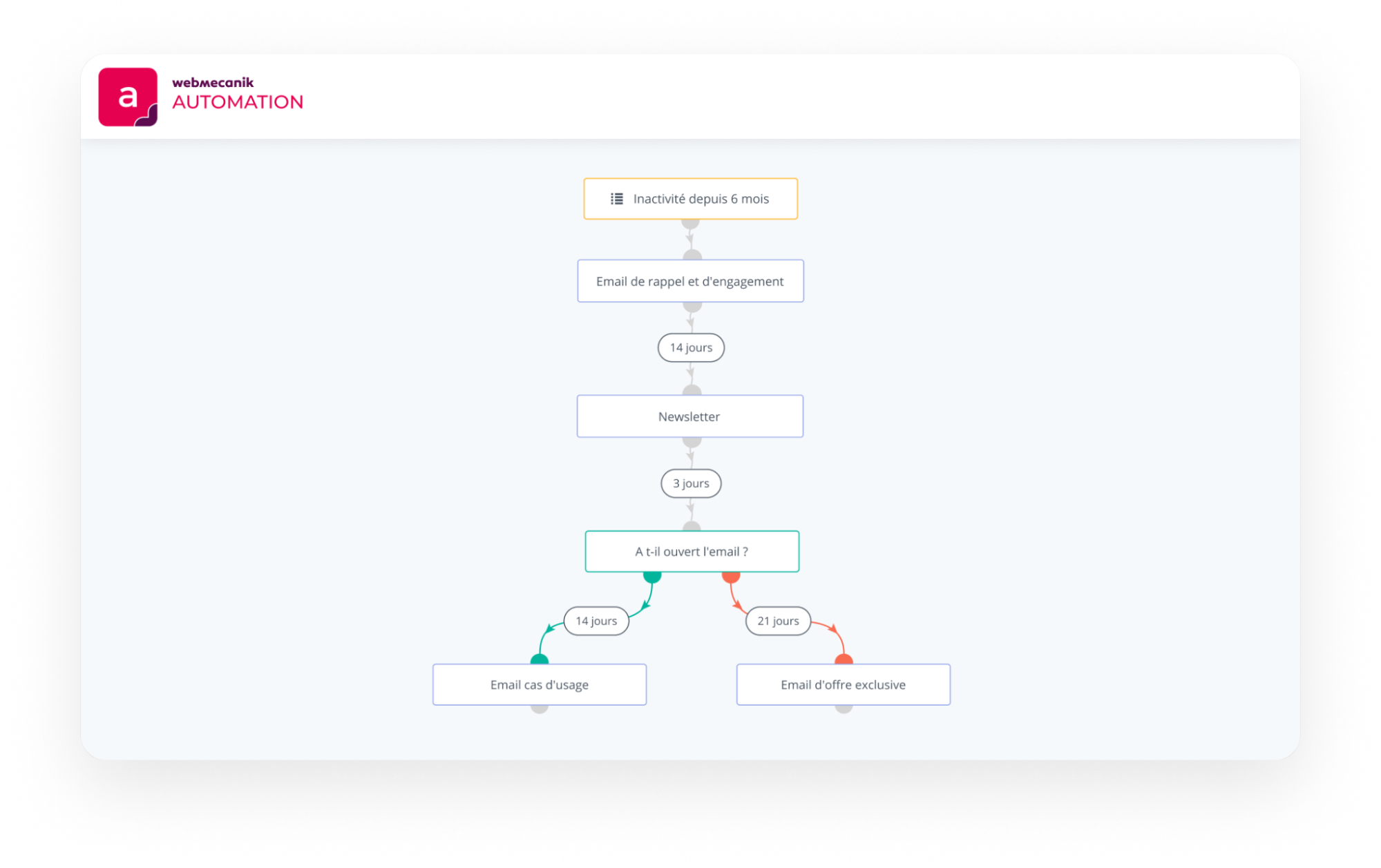
- Reactivation campaigns: reactivation campaigns aim to rekindle the interest of inactive or disengaged leads by offering them special deals or rich content. To do this, you will need to target prospects who previously showed interest but have become less engaged. These campaigns are designed to bring them back into the purchasing process.
- Cross-selling and upselling campaigns: cross-selling and upselling campaigns are set up to offer your customers complementary products or services. Cross-selling campaigns are used to recommend complementary items in order to enrich the purchasing experience. Upselling campaigns are intended to offer more advanced versions or additional options to increase the value of the initial order.
Discover the results of your marketing automation software
Generally, the first results can be seen after 3 to 6 months. The timeframe depends on the complexity of your strategies and your team’s level of involvement.
By continuously optimizing your methods, you maximize long-term benefits. The dashboards built into your software allow you to instantly track your KPIs, such as how your contacts behave across your content and social networks. ? Choose software that automates data protection management so you can focus on higher value-added tasks. ?