Contents of the Automation update – May 2016
Terminology change
One of the first things you will notice in this update is the change of certain terms to better align with common usage. Prospects, Prospect Lists and prospect fields have not been removed, but simply renamed. What used to be called a Prospect will now be called a Contact. Prospect lists are now segments.
Changes in the menu (left side of the application)
You will also notice a reorganization of the menu as follows :
- Prospect -> Prospect Management = Contacts
- Prospect -> List Management = Segments
- Prospects -> Field Management has been moved to the settings menu at the top right under Custom Fields
- Assets, Forms, Landing Pages are now in the Components menu
- Email is now in the Channels menu along with the new channels included in this update.
- Courriel = Email
- Pages de destination = Landing Pages
New features
This update contains many new features !
Configurable dashboard
The dashboard is now customizable with widgets. Each user can configure their own dashboard with the data that interests them. Share your layouts with other users by exporting and importing templates. You can also save different templates for different needs. Learn more.
Channel – SMS
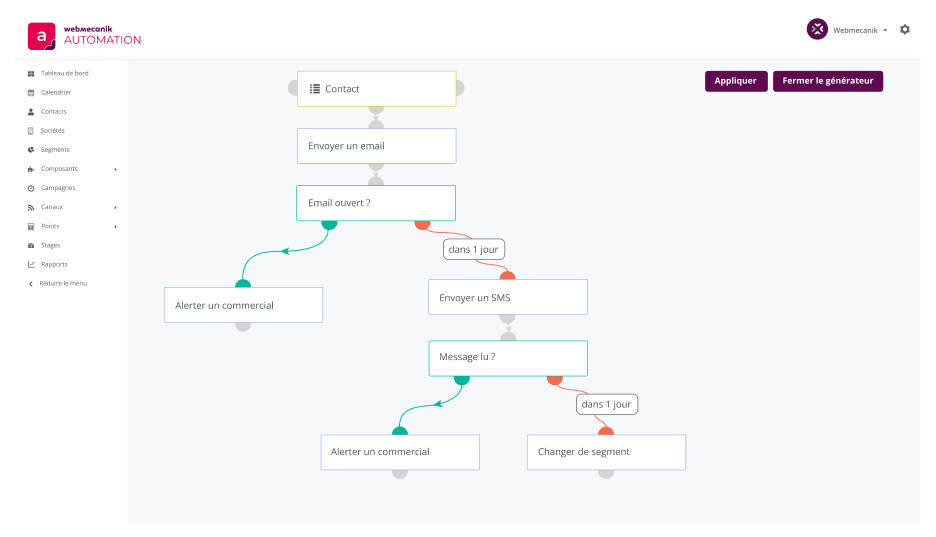
We now have an integration with Twilio. By connecting your Twilio account, you have the ability to send SMS messages via your marketing automation campaigns. The feature must be activated manually (it is disabled by default) in order to find it in the Channels menu. Learn more.
Channel – Web notifications
We now have an integration with OneSignal. By connecting your OneSignal account, you have the ability to send web notifications to the visitor’s browser via your marketing automation campaigns. The feature must be activated manually (it is disabled by default) in order to find it in the Channels menu.
Form submission via social networks (social login)
We now have the ability to offer visitors to your sites the option of filling out a form with social data. This makes it possible to fill out a form automatically and therefore more quickly. The contact’s details from social networks will be added to the contact profile page (if authorized by the contact). Please note that you will need to create a developer account with the social networks to activate this feature.
Behavioral tracking via JavaScript
Say goodbye to the tracking pixel ! We will gradually ask you to replace the pixel with the tracking script (like Google Analytics). But don’t panic, the pixel still works. We will get back to you soon.
Keyboard shortcuts
Did you know that you can find keyboard shortcuts in Automation? You just have to press shift + ? on any page to see the existing shortcuts.
Below are all the changes.
List of changes
Features
- [Contacts] Changes tracking to JavaScript
- [Channel] SMS via Twilio
- [Channel] Web notifications via OneSignal
- [Contacts] New filter for segments based on email activity
- [Emails] Automatic conversion of images to base64
- [UI] Added a close button on an object’s detail page to return to the lists
- [Contacts] A “Locations” tab has been added to the contacts page to view their connection location
- [Dashboard] Now configurable with widgets!
- [Forms] [Contacts] [Integrations] Social login
- [UI] Added
shift + ?to view shortcuts. - [Contacts] Ability to export a contact’s activity via the API
Improvements
- [Emails] Ability to disable the tracking pixel in emails
- [Contacts] Sort segments by name or ID
- [UI] Prospects are now Contacts and Prospect Lists are now Segments
- [UI] Menu reorganization
- [Reports] Added the IP address to the contacts report
- [UI] [Contact] Improved handling of page visits in the contact’s activity stream
- [Forms] Displays the latest results by default
- [Contacts] Added the contact owner to the quick add form
Bugs
- [Emails] Fixed some emails being blocked in campaigns
- [Emails] [Landing Pages] Errors in A/B testing
- [Calendar] Click error on a personalized email
- [Forms] Information error on created_by, date_added, etc.
- [Contacts] Import error on the “Do Not Contact” field
- [Campaigns] Contact qualification issue in certain circumstances
- [Points] Via API
- [Contacts] No longer displays a contact field if it is disabled
- [Campaigns] Fixed campaign cloning.
- [Contacts] Removing the first operator from a segment created errors
- [Campaigns] [Emails] Fixed token replacement in some campaign emails
- [Contacts] [UI] Sorting contacts based on the activity date was sometimes off by a few seconds
- [Emails] Fixes tracking issues on email links if they had attributes other than href
- [Points] Disabled the point redundancy feature on a visit because it was not working
Thanks to the Mautic team for the progress made on many features and bugs in addition to our work.