Are you looking to diversify your lead generation sources? The webinar is an excellent lead magnet (prospect magnet?) for capturing and converting leads.
Generate leads with your webinar: how do you attract them?
Generate leads with your webinar: organize your event
Generate leads with your webinar: analysis
Livestorm & Webmecanik, what does that look like?
Start by defining your sources
An appealing topic?
The foundation of your webinar is, of course, your topic! It’s up to you to find a relevant topic related to your field of activity that meets a need (for information or otherwise) of your target audience and, preferably, a topic that you master from A to Z. Do you want a rather general topic? A more specific one? Based on your services or products? Once your topic has been chosen, now decide which member of your teams will host this webinar and whether you want to involve an external guest.
Speakers with expertise?
Experience can’t be invented! To host your webinar, choose someone who has expertise in the chosen field. It would be implausible to choose a developer to talk about marketing. If you do not have the skill in-house, give yourself the opportunity to invite speakers to co-host your webinar (people who are influential enough in your field or experts on the topic discussed. You can, for example, collaborate with an agency specializing in SEO if you are a communications agency.
Good communication?
To generate visibility (and registrations) for your webinar
- Promote it on the channels where your target audience is present
- Create events on certain social networks
- Use social ads to reach a wider audience
- Inform your database to attract even more participants
Generate leads with your webinar: organize your event
Generating leads with your webinar requires a minimum of organization, so here is ours, step by step
Before setting up your webinar
Defining your objective is the first step in your organization; if you are reading this article, it is because your main objective is to generate leads to potentially convert them into customers. ?
First of all, choose a date and a time! You should of course choose time slots when your leads are most active. You will not get the same engagement on a Tuesday at 10 a.m. as on a Friday at 4 p.m.… ?
For a good webinar that generates leads, you need tools that allow you to set this up. Choose a platform that matches your functional needs. The most famous platforms are Zoom, GoToWebinar, Webikeo and Livestorm.
To go further in lead generation, you can combine webinar platforms with marketing automation and CRM tools.
Next step: communication!
Communicating about your webinar is essential. Start by putting in place a communication plan around your virtual event: frequency of communications, on which channel, what type of communication, etc…
For greater efficiency, you can automate certain means of communication.
Let’s get down to preparing for the webinar.
You must carefully prepare your presentation, make your slideshow, and assess the lead magnets you will need during or after the webinar. To be even more effective during this virtual event, anticipate the questions that are likely to be asked.
To avoid unpleasant surprises on the big day, run technical tests and rehearse your webinar aloud.
Now it’s time for promotion!
To promote your virtual event, you have a multitude of channels at your disposal.
You can promote your webinar through email campaigns. Thanks to marketing automation, you can invite contacts from your database to take part. Your website also allows you to promote your event. You can create a dedicated landing page (which you can boost thanks to SEA) and add pop-ins and banners to reinforce this promotion. The most widespread method is obviously social media! If you have chosen to invite an external person to your webinar, this partner can also promote it via their social networks and website.
During your webinar
Hosting your webinar: ??
Have fun! That’s the most important thing, stay relaxed so that you can have a smooth exchange with your audience.
Interact with your audience: ?️
Interaction is essential in a webinar. Don’t hesitate to delegate the comment area to a colleague so that you can respond more quickly to questions and requests in the chat.
After your webinar
- Ask for feedback: do not hesitate to ask your participants to give an opinion on how your webinar went, the topic discussed, the speakers, and what their recommendations would be.
- Identify and contact first the leads who interacted the most during your webinar. Your sales team should contact these prospects very quickly to qualify them.
- Set up nurturing! Develop nurturing actions to maintain the engagement of your contacts after the event.
- Launch a post-event campaign: promote the products or services mentioned during the webinar to capitalize on the participants’ interest.
- Reuse your webinar. To recycle your virtual event, you can publish the replay on your website and YouTube. Also create a dedicated landing page for the replay, in order to attract and convert new leads. To go even further, you can write an article on the topic covered in your webinar in order to highlight the replay.
Generate leads with your webinar: analysis
Analyze the data collected based on KPIs such as the registration rate, participation rate and engagement. This will help you identify the most relevant topics and adjust your future content. In addition, qualifying your MQLs is essential to increase your chances of conversion. By analyzing their behavior during the webinar, you will be able to segment them and direct them to your sales team.
Livestorm & Webmecanik, what does that look like?
The combination of a marketing automation tool and a webinar platform offers a resource that makes it possible to transform communication before and after the webinar
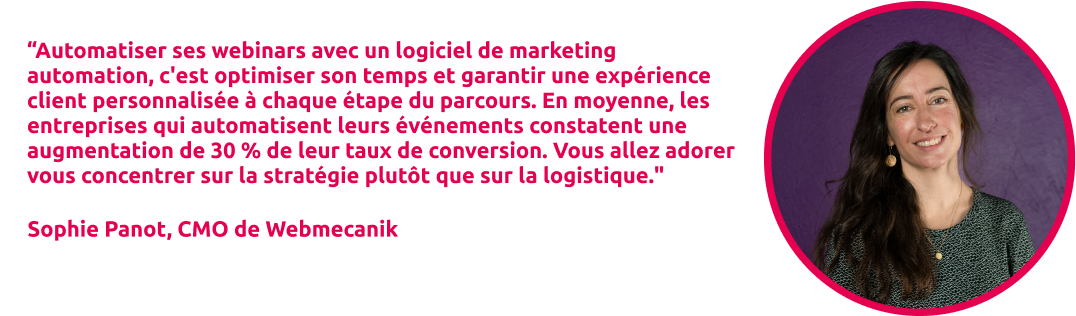
Webinar automation saves time and optimizes their performance. By integrating Livestorm and Webmecanik, you can automatically synchronize registrants with your CRM, which makes it easier to track their participation and engagement (registered, present, absent). This synchronization also allows contacts to be registered directly through Webmecanik forms and to measure their attention rate. Thanks to this data, you can create automated campaigns and targeted segments to prioritize the most engaged prospects. This automation guarantees better performance for your webinars while simplifying logistics.
By automating reporting and follow-up, you free up valuable time and allow your salespeople to focus on what matters most: converting the most qualified prospects. Thanks to instant visibility into each participant’s engagement, they can prioritize their actions and optimize their conversion rate.