Webmecanik Pipeline presents its latest feature: email templates, now available in your CRM, specifically for the PRO and Enterprise plans!
Email templates will become your new best friend for quickly sending prospecting, follow-up, or reminder emails. No more headaches writing from scratch—use templates that automatically populate with information from your CRM, saving you time!
Make it easier to send your sales emails
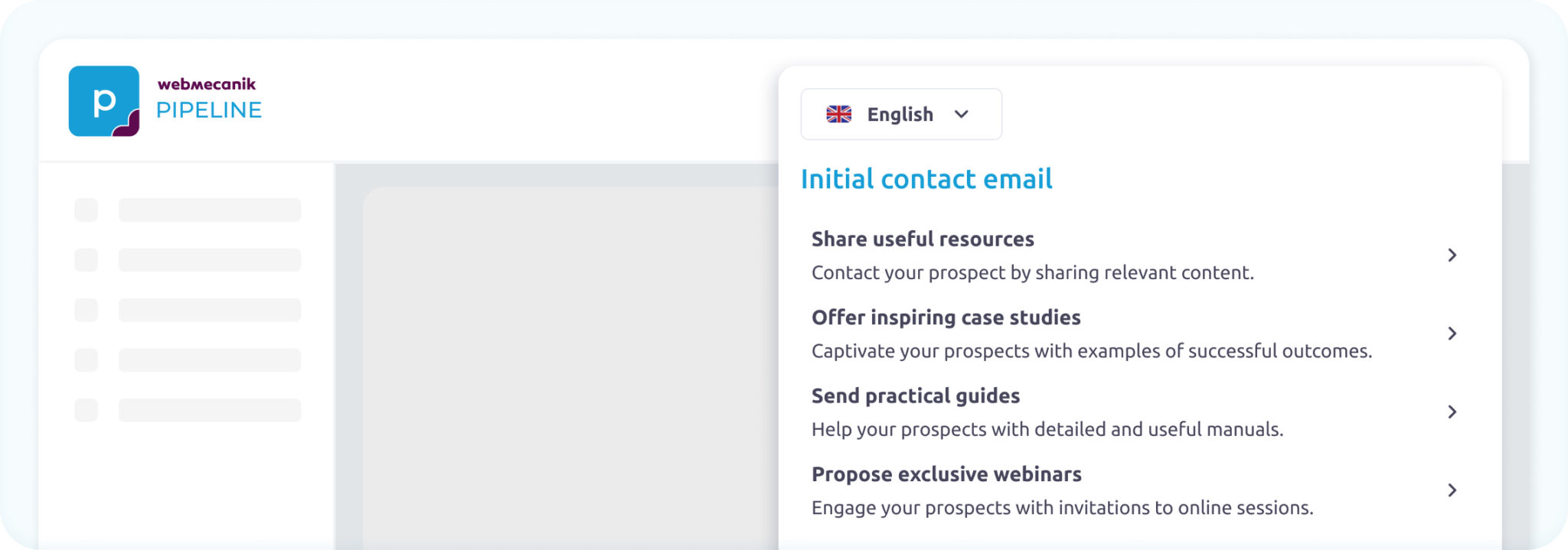
Whether you’re in the office, on the go, or between meetings, Webmecanik Pipeline’s email templates allow you to draft and send your communications in no time, right from your CRM.
Meeting follow-ups, thank-you emails, reminders etc.ust open the contact’s record, select a template, watch the list of variables update automatically, personalize it, and you’re done! There’s no need to rewrite everything every time—your messages are always ready to send.
With email templates, you can:
- Save precious time: access a library of templates that cover all your needs (follow-ups, correspondences, referrals). Everything is ready for you—just customize and send!
- Communicate effectively: ensure a consistent brand image with every email you send. Using message templates allows you to standardize your communications.
- Customize your messages effortlessly: our templates make personalizing your emails a breeze. Simply add variables like the contact’s name or the date of your last meeting, and create custom messages in just a few clicks.
How to use message templates?
Picture this: you’ve just wrapped up an important meeting with a prospect. You feel like the deal is about to close, but you know that quick follow-up can make all the difference. Instead of wasting time writing a brand-new email, go straight to your CRM, open the contact record, and select a follow-up or proposal template. In just a few clicks, your email is ready to go! ✨
- Go to your contact’s record
- Choose or create a new template: select from our ready-to-use templates or create your own directly in the CRM.
- Select and send: from the contact’s record, choose the appropriate template and hit send. You can send the message directly via the CRM or copy-paste the content into your email client.
- Archive with one click: once sent, save your email to your CRM by selecting the save option when setting up your template.
To learn more about message templates, check out our support page right here.
Boost your productivity with Webmecanik Pipeline
Message templates not only save you time but also enhance your sales efficiency. Don’t let writing emails slow you down any longer.
Switch to Webmecanik Pipeline’s PRO Plan now to enjoy this feature and much more!