
Great new features have arrived in your marketing automation software! Discover the new version of email A/B testing in Webmecanik Automation. Take your contact scoring further with a new advanced feature and preview your emails and landing pages under real conditions?
New features
Automatic A/B testing of your emails
Email A/B testing in Webmecanik Automation is evolving! A great opportunity to rediscover this feature that helps you improve the performance of your marketing emails. The principle of A/B testing is to compare several versions of an email and determine the best-performing content.
Choose the sample to whom you want to send your test, define a clear success goal, and create the different versions of your emails. Modify variables such as the subject line, sender, CTAs, images… Once your test has been sent, Webmecanik Automation compares the results and the version that best meets your objective is sent to the rest of your segment.
By tracking the results of each of your tests and implementing corrective actions, you will be able to create increasingly impactful content for your audience!
We tell you everything about the method to follow to create an A/B test for your emails with Webmecanik Automation in this article.
Advanced scoring
Scoring allows you to measure the level of maturity of your contacts. A scoring strategy is based on point allocation rules and triggers that allow you to nurture your leads in a personalized way. A real decision-support tool for marketing and sales teams that helps prioritize potential customers.
Webmecanik Automation now includes an advanced scoring feature. It is now possible to set up point groups and therefore assign specific points to your customers.
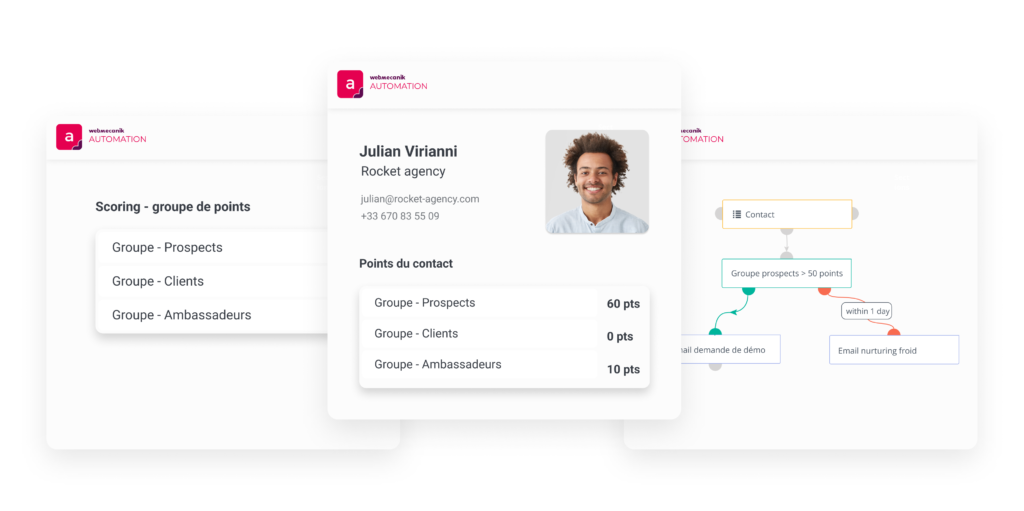
In practical terms, you can define groups for which you want to monitor your customers. This can be related to your different products, prospects/customers, or even according to a particular interest of your contacts.
For each of these groups, you will define specific scoring actions according to actions carried out by you or your contact. Each action will assign points to your contacts, but only for the relevant group.
The goal is to be able to set up segmentation or campaign actions according to the points your contact has collected for a specific group.
Improvements to your features
Preview of variables in your emails and landing pages
It is now possible to test the variables you insert into your emails and landing pages under real conditions? Choose a specific contact for whom you want to test your content and directly view the email or landing page they will see.
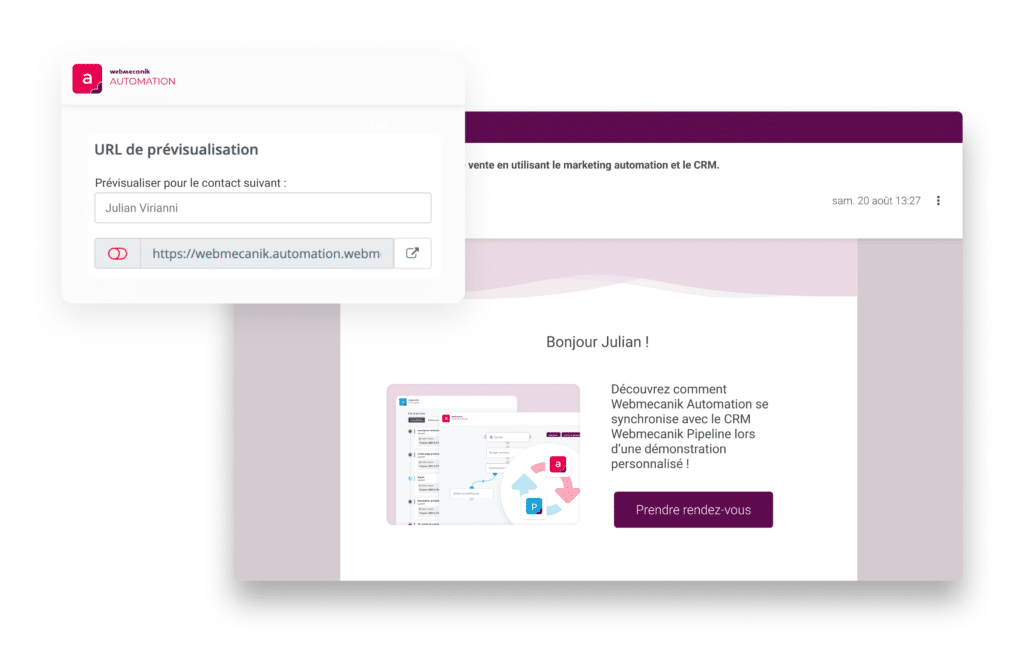
A new safeguard for you to check that you have correctly configured the variables (information about your contact) as well as the dynamic content of your content!
Sending reports by email
Sending your reports by email is evolving to make your life easier? Define the desired date filter directly from your results page and send your reports with a single click from that same page. It is also possible to schedule recurring report sends based on date ranges.