Add attachments to your CRM hassle-free?
Using simple drag-and-drop or in one click, link a document by going to the relevant record. This is useful for attaching key information related to an ongoing opportunity, specific activities, or even a contact.
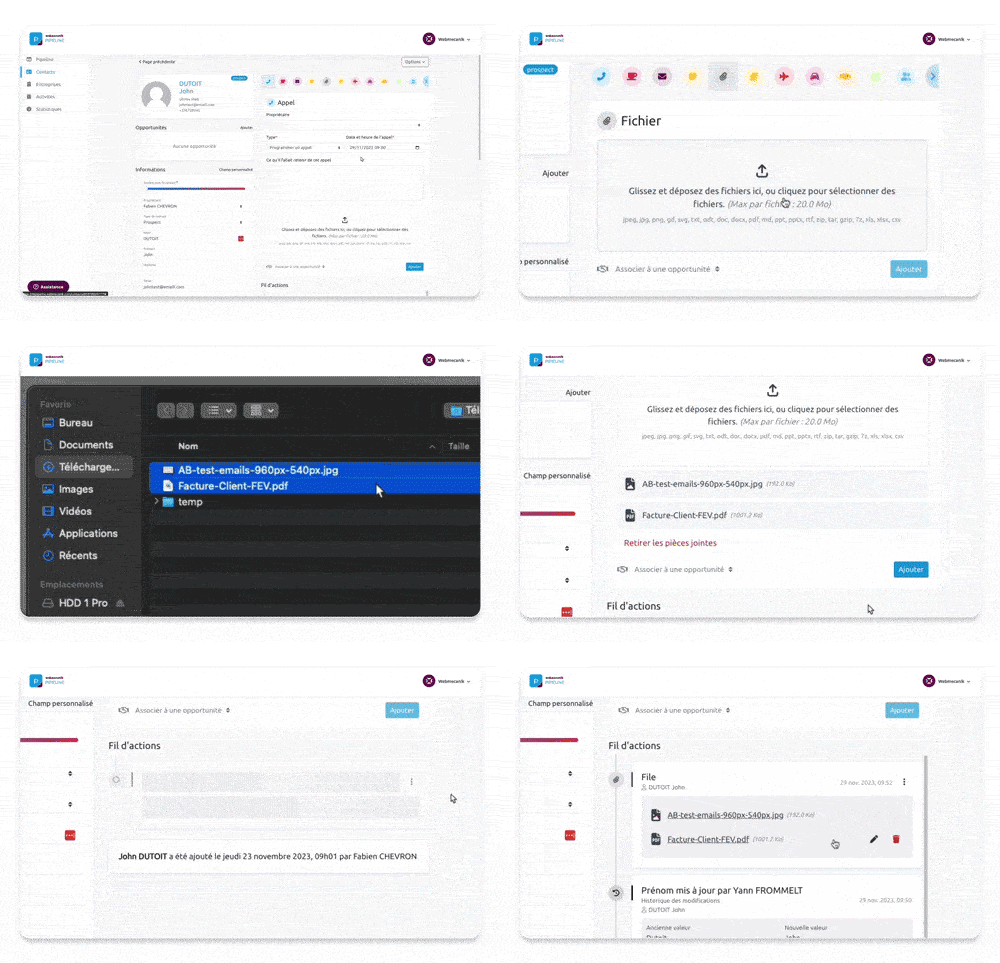
To attach a document to a contact, a company, or an opportunity, nothing could be simpler:
- Go to your contact or opportunity record
- Select the “File” activity, then add your files by clicking “Add”
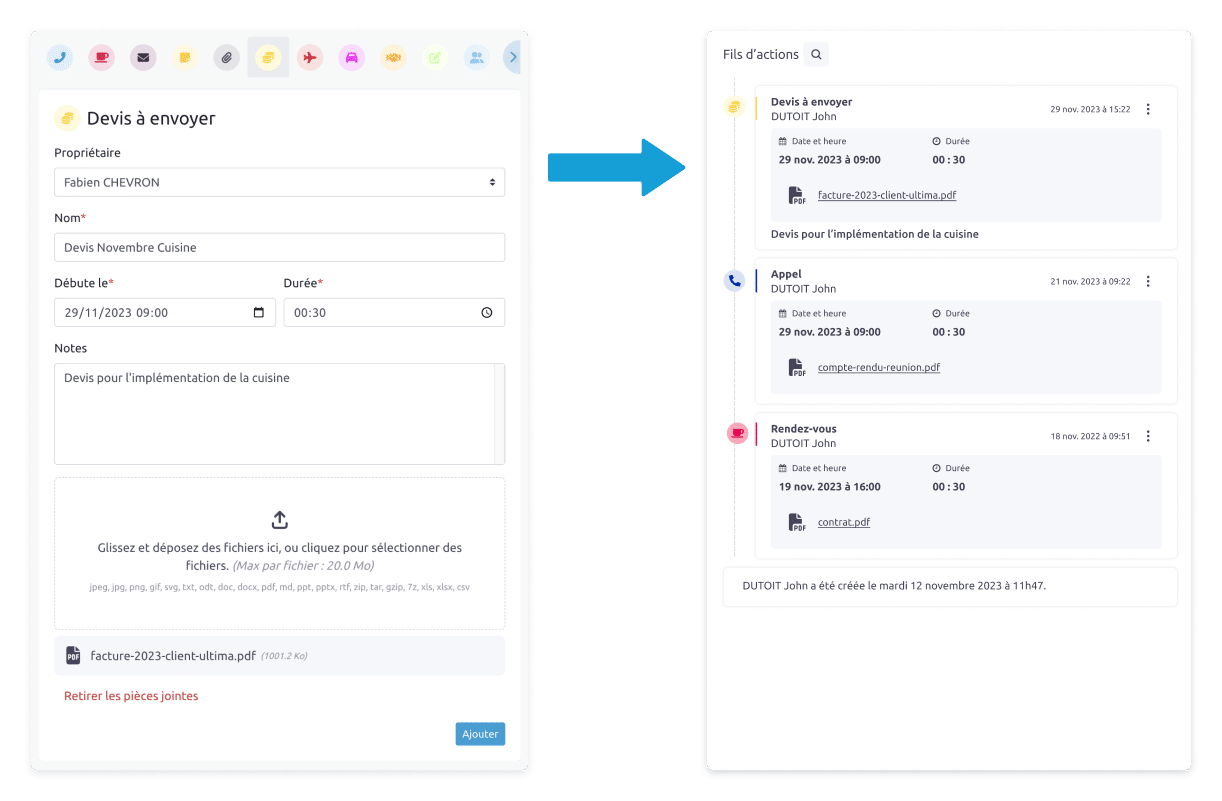
Your documents will appear directly in your activity feeds at the different relevant levels: at the contact, company, and/or opportunity level.
To attach a document to a specific activity, all you have to do is attach a document after filling in the required information to save an activity.
And there you have it, it’s done!
The benefits of managing your documents in your CRM
Your important documents are all in one place, just a click away. Everyone in your organization can access them based on their permissions, which improves collaboration within your team.
Every document is available at any time, making it easier to track and organize your customer interactions as well as your decision-making.
A small step for your CRM but a giant leap for your document management ??
With this new update, integrating your documents into your CRM will save you a significant amount of time. You centralize as much information as possible so that your decision-making becomes child’s play!
Spoiler alert: the next enhancement to your tool involves advanced filters for even more precise searching ?