

 Folder-based management
 Marketing AI
 Marketing Segmentation
 Multichannel communication
 Workflow automation
 Email marketing & newsletter
 Smart forms
 Landing Page
 Dynamic web & email content
 Behavioral tracking
 Lead scoring
 Custom objects
 Generate qualified leads
 Retaining customers
 Personalize your communication
 Integrations
 Migration to Webmecanik
 Partners
Scoring
 Assign points to a contact
Measure the maturity of your contacts
Trigger automatic actions
Assign points to a contact
Measure the maturity of your contacts
Trigger automatic actions
Discover scoring in marketing
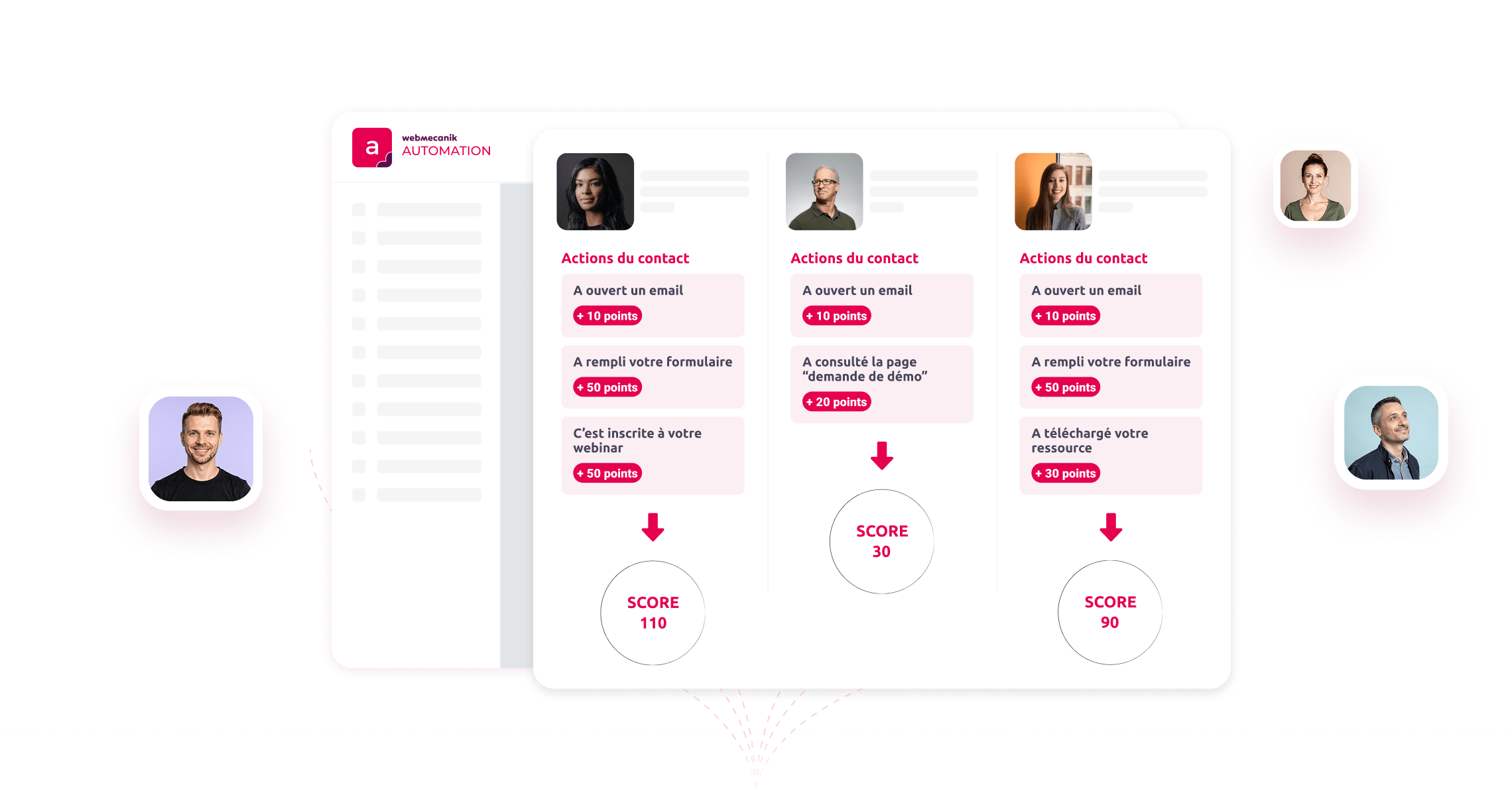
Scoring, also known as lead scoring, is a key tool in the world of marketing for assessing the maturity of your contacts. This method is useful for turning a large amount of data into a single score, thus facilitating decision-making.
The scoring process involves assigning a score to each contact, based on various criteria such as profile and behavior. This approach makes it possible to quickly identify the most promising leads, thereby optimizing your marketing and sales campaigns.
Behavioral tracking
Discover how behavioral tracking boosts your marketing performance and strengthens the effectiveness of your sales follow-up.
Discover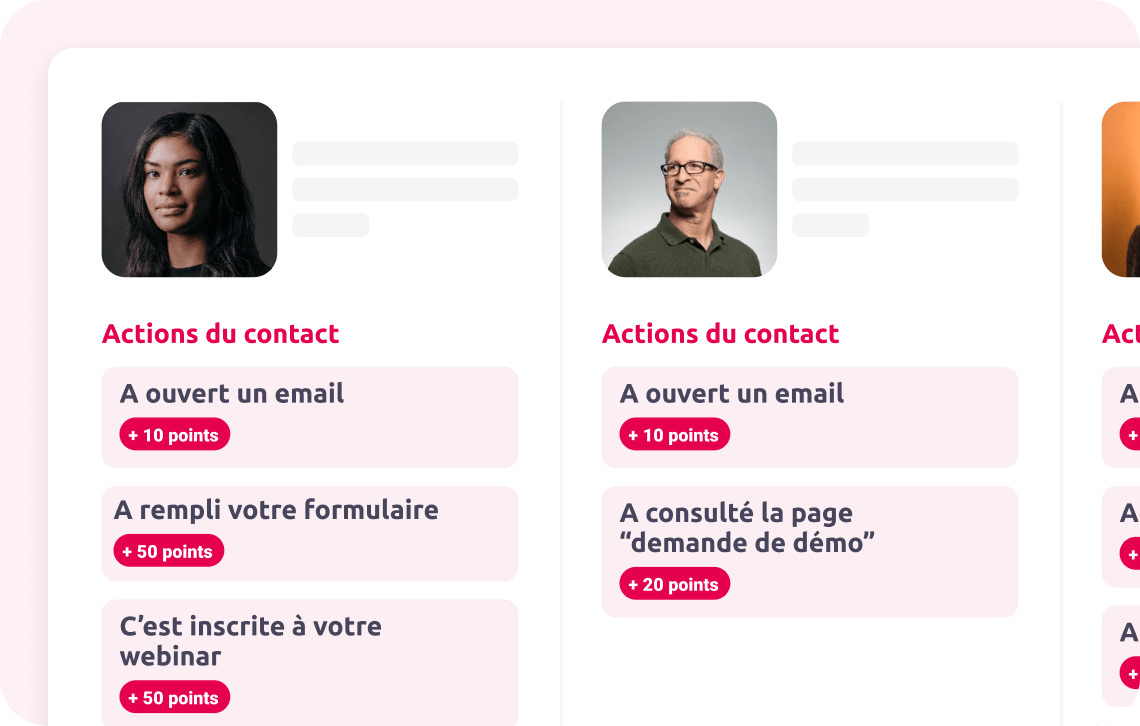
The benefits of Scoring for your marketing strategy
Scoring can be a powerful lever for addressing core questions. For example, you may want to answer the following questions:
 Which contacts are the hottest leads?
Which customers have the potential to become ambassadors?
Among the candidates, who deserves a priority callback?
Which contacts are the hottest leads?
Which customers have the potential to become ambassadors?
Among the candidates, who deserves a priority callback?
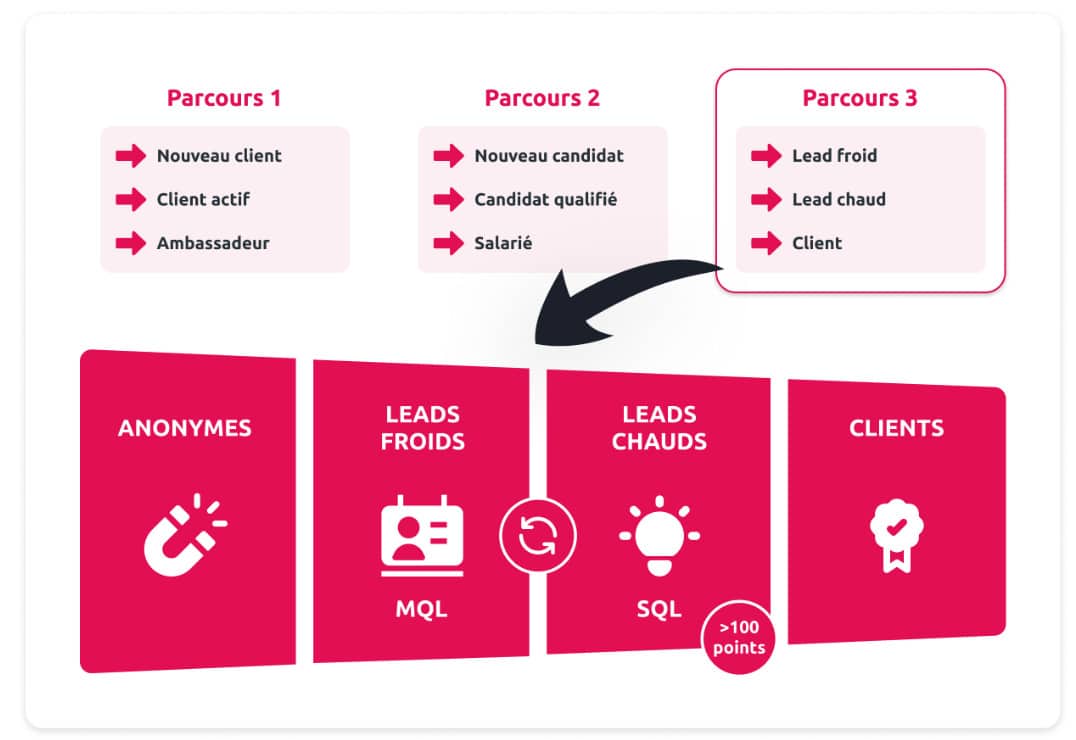
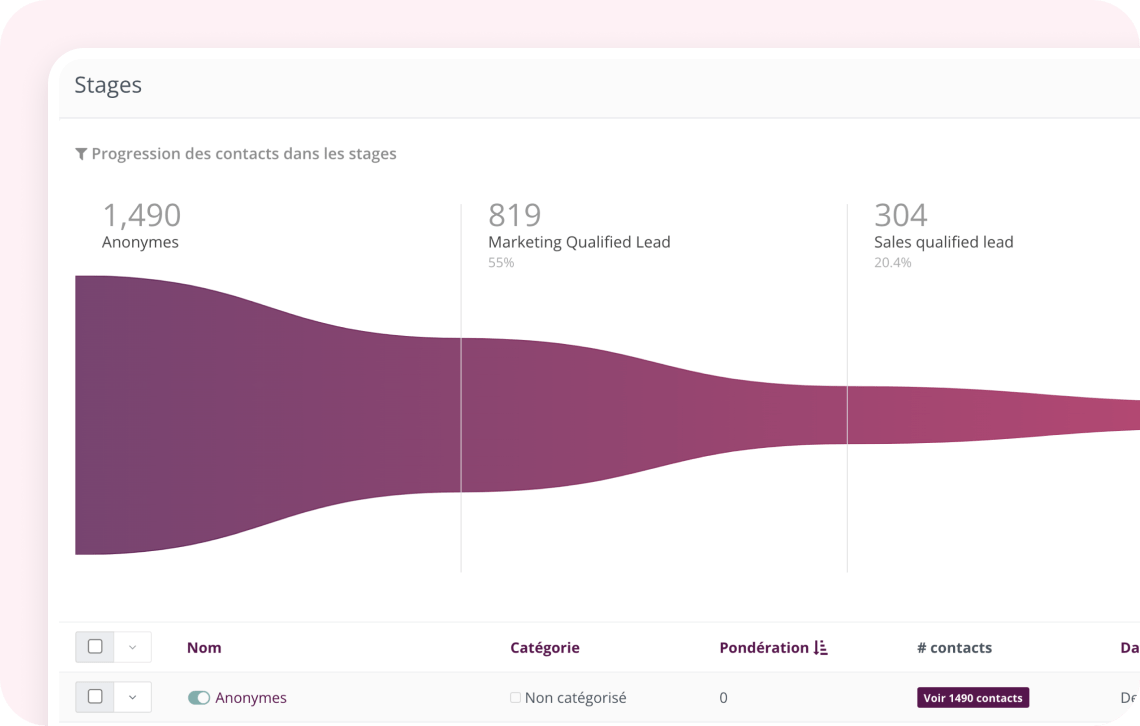
By adopting scoring, you naturally work on your conversion funnel by identifying the key stages. This will allow you to develop personalized communications tailored to the specific stage of each contact in the customer journey. Scoring is a useful tool for further qualifying your prospects and customers. It provides a clear and precise vision to guide your marketing and sales strategies, ensuring optimal allocation of your resources and targeted, effective communication.
Scoring: a feature for everyone?
Before committing to a scoring strategy, we recommend first studying its relevance for your organization. Indeed, not all marketing automation strategies necessarily require the implementation of a scoring strategy. For example, if your approach consists of sending all your leads to the sales team, adopting a scoring strategy may not be the best solution. On the other hand, if you aspire to be more selective in defining a qualified lead, then scoring proves to be an interesting option.
How the scoring feature works
As part of scoring, two distinct aspects stand out: first, assigning points to a contact according to their profile or behavior. Then there are the automatic triggers that come into action depending on the score reached by a contact, commonly called “triggers”.
Assign points to a contact
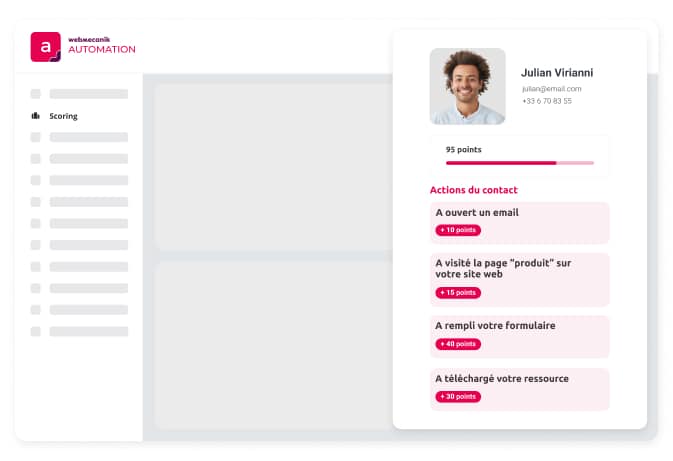
To add points to a contact, we talk about Scoring actions. In Webmecanik Automation, it is possible to assign points based on several actions such as:
Add or remove points from a contact by choosing among actions related to resource downloads, emails (opening or sending), landing pages, or forms
Add points via campaigns based on the contact’s profile or for specific actions during nurturing campaigns
Add points when forms are submitted
Add points when someone clicks in your emails, SMS marketing campaigns, or when registering for a webinar
Triggers
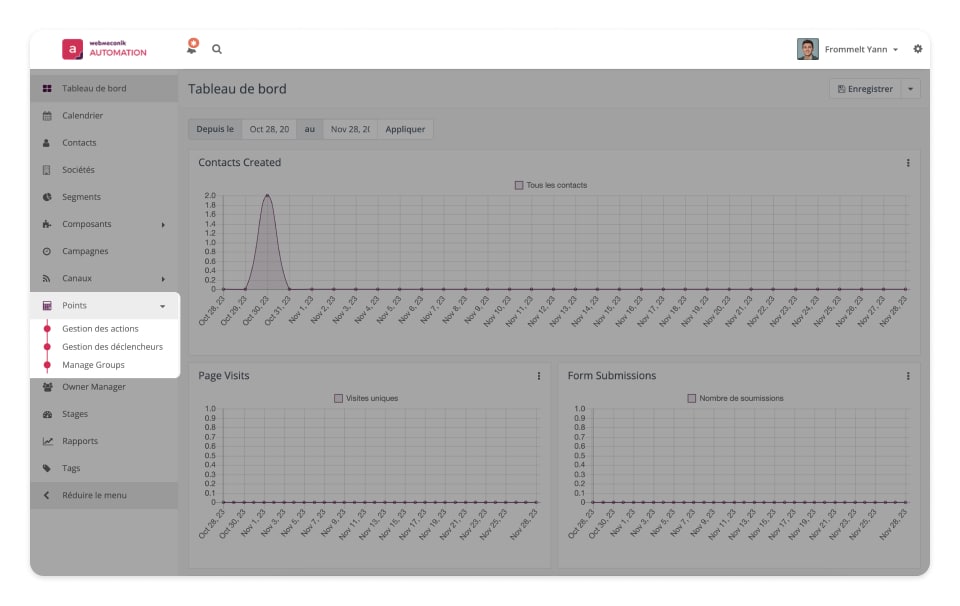
In Webmecanik Automation, point triggers allow actions to be automated based on contacts’ scores. After establishing your scoring rules, it is wise to implement triggers that activate once a contact reaches a certain number of points. These triggers include:
Extension triggers to add a contact to the integration
Email triggers to send an email as soon as a contact has reached a certain number of points
Campaign triggers to launch a campaign for a contact
Contact triggers for actions adding contacts to segments or tags
Why choose Webmecanik for scoring?
With Webmecanik, scoring becomes a real performance lever: identify your hottest leads, automate your follow-ups, and align marketing and sales. Our scoring is 100% customizable to adapt to your sales cycle.
See other features
Adopt the marketing solution that boosts your ROI
Make every interaction with your prospects more effective: personalize your messages, optimize your journeys, and turn every touchpoint into a conversion opportunity.