
The quality of the data in your CRM is based on a set of criteria that allow your teams to always have the right data at the right time and to close more sales.
A clean CRM is a CRM that is constantly updated. Communicating best practices to your teams helps avoid errors as much as possible and consistently keep a clean and up-to-date CRM.
Six criteria make it possible to organize the cleaning of your CRM. In this article, we summarize how to proceed.

What is clean CRM data?
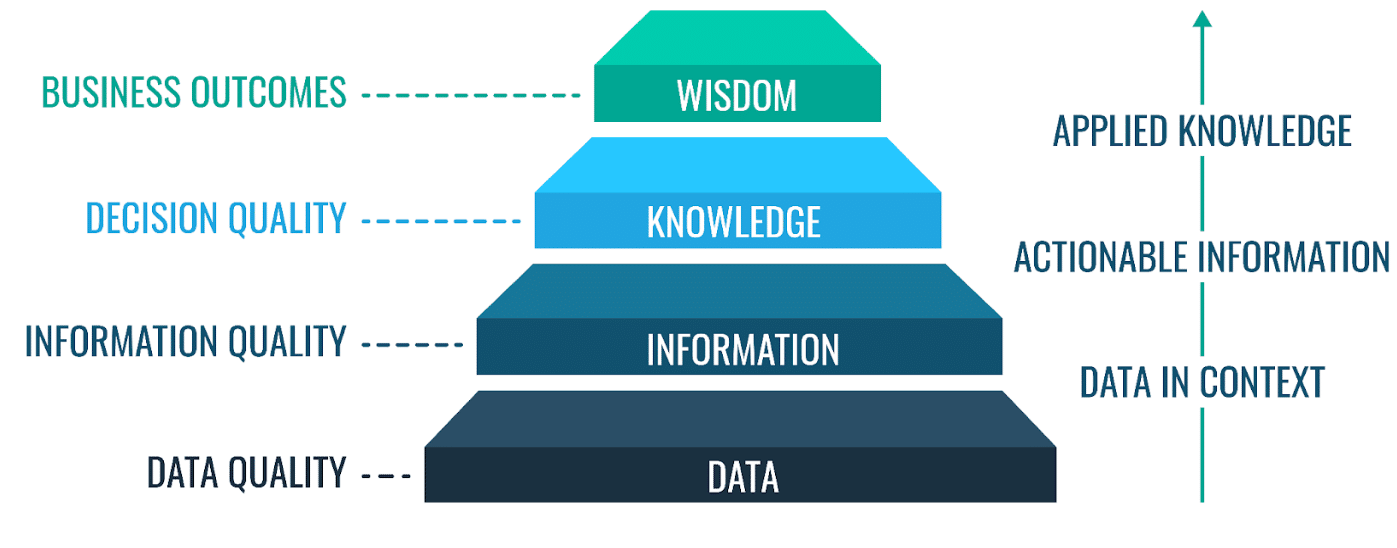
“Data quality” can be summed up as the ability to maintain reliable and readable data over a long period. The difficulty is that time deteriorates data quality. The more recent a piece of data is, the more value it has; conversely, the older it is, the less value it has.
In fact, your contacts change phone numbers, addresses, positions or even behavior; in short, your customer database is constantly changing.
“Data quality management,” or all data quality management practices, help maintain your datasets so that they are always viable and easy to work with.
Data quality is based on a set of criteria that support CRM maintenance and the constant updating of clean, high-quality data:
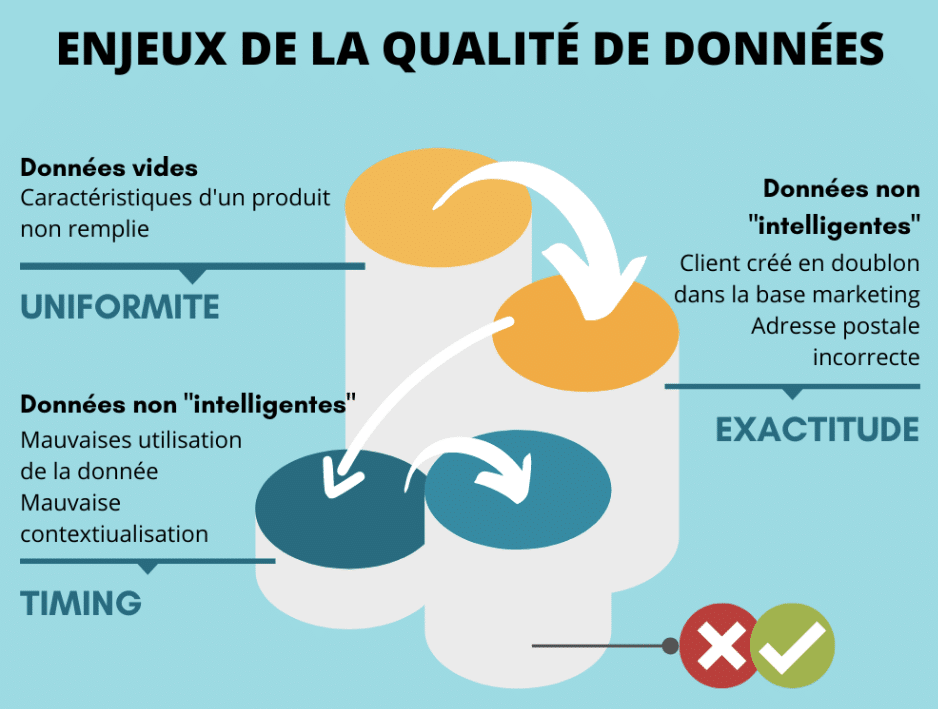
- Data completeness: to know whether your data is complete, make sure you have all the data you need about your customers and prospects. Check that all useful fields (email, last name, first name, phone number, etc.) are properly filled in. The absence of certain data is a real obstacle to a smooth sales process. Therefore, make sure your teams strictly fill in every field.
- Data validity: be careful, data may sometimes need to follow a specific syntax, for example “Mr” vs “Mister”.
- Data consistency : reporting tools create links between different databases through imports and exports. For this process to work, it is imperative that, from one database to another, the fields and syntax are the same. In each database, an individual must have the same information entered in the same formats and syntax.
- Data availability: ask yourself whether your data is easily readable or accessible to the people who need it to work. This “quick win” could save your teams valuable time.
- Data accuracy : to have a usable database, you need accurate data. So make sure the data is not incorrect. For example, all contact fields may be filled in, but only 80% of the phone numbers entered may be valid.
- Data updating: having a complete and usable database is good, but having a database that is constantly up to date is even better. Time degrades the quality of your data. Therefore, make sure you verify the validity of the data and, if necessary, update it.
Source: profisee.com
How to clean your CRM in 6 steps?
A CRM with poor-quality data represents a sales cost. The time spent cleaning it is time your teams are not spending on prospecting.
Fortunately, there are cleaning practices that can help you save time.
Here are the most important ones, summarized here in 6 points.
Source: efrontech.com
1. Make sure you understand your data sources
The main challenge is to understand how the different data sources interact with the tools available to you. For example, “interests” data (interest in one aspect or another of your product) can be obtained through different channels:
- “First-party” data sources: provided directly by the lead or customer through a form, chat, or phone call.
- “Second-party” data sources: provided by analyzing the behavior of leads or customers on the site, in the product, etc. via partner tools.
- “Third-party” data sources: obtained through a B2B data enrichment service.
To arrive at a clear view, make sure to map your data, its sources, and its flow. To start, you can try to understand how and in what format the data appears in your tools.
For example, the “Name” field may appear as “First name Last name” in Salesforce and simply “Name” in Intercom.
You need to map the data from all the tools that store prospect or customer data – making sure to take into account all the data points that define your target customer base.

2. Normalize and standardize your data
To have a uniform database, standardize your data. This is done by configuring your data sources and establishing rules for manually entering this data.
This operation saves a lot of time, but above all, it gives you a very clear view of your database. It also helps speed up collection.
Example:
LAST NAME / First name: Text format
Year of creation: Number format
Last order (date): Date format
Thus, thanks to data standardization, you greatly limit possible data entry errors by imposing data formats.
3. Remove duplicates
A customer or contact may appear twice or even more in your database. These duplicates can have several causes:
- Differences in spelling or syntax caused by data entry errors or a lack of standardization. (FirstNameLastName Vs LastNameFirstName Vs firstnamelastname, etc.)
- In the absence of a unique identifier, data matching may be distorted. In many cases, each department uses its own identifier, email for marketing, last name / first name for the sales department, etc.
- A single customer can provide different information in different data sources. For example, two different emails may be used to fill out a form on your site and to contact customer service.
If this happens, the goal is then to determine the source contact (the reference data) and merge it with the data that has been added in order to create a single contact.
Be careful, this operation remains delicate, especially when it involves merges on a large number of contacts. Be sure that the contacts you are merging are not actually two different people.
4. Correct data entry errors
Make sure there are no data encoding issues from any of your data sources. For example, the transformation of Saint-Rémy-de-Provence into Saint-Rémy-de-Provence.
Then there is the issue of data entered by the user.
This error particularly concerns email entry. A contact may fill out a form incorrectly and accidentally provide a wrong email address because of a typing error. This can also happen during a call, when a contact misspells their email. All data that can be entered incorrectly is affected by this problem.
Therefore, be sure to regularly check the alerts from your emailing tool regarding contacts who do not receive or no longer receive emails, so that you can quickly correct the issue. The same applies to phone numbers.
Finally, it is essential that your team has fully adopted the habit of correcting any false data it comes across.
5. Enrich and update your data regularly
The problem with updating data is that you need to verify that your data is still correct, either by asking the customer directly or by consulting external databases.
In practical terms, enriching a database or updating it amounts to roughly the same thing.
Once you have the basic information on your contacts: last name, first name, email, position, company, it is important to enrich this information in order to qualify it better. For example, knowing what their interests are in your products and what their favorite communication channels are.
All this additional information will allow you to enrich your customer database and refine your contacts’ personas in order to adopt the best possible marketing scenarios and email campaigns based on each contact’s profile. Enrichment is the key to targeted marketing.
This enrichment can be done:
- Manually. By calling a lead directly to ask about their needs, expectations, goals, etc.
- In an automated way, thanks to prospecting tools such as LeadIn specialized in lead enrichment and connected to third-party data providers.
There are a large number of specialized software solutions depending on your data sources. Be careful, however, to comply with the regulations in force regarding the use of data.
6. Transform, segment, and synchronize your data
Many B2B data enrichment software solutions now make it possible to transform disorganized and poorly formatted datasets into easily readable and consistent data sets.
As we said, the highest-performing marketing teams use data enrichment in an optimized way, integrating only the most relevant data to attract the best customers and adapt the sales journey according to the information for each contact. This enables a personalized marketing journey.
Before getting started, be sure to clearly identify what data you need so as not to buy data that would be useless. Once the data has been obtained, all that remains is to make it usable.
This process includes different steps:
- Transformation: Enriching your data gives you access to information previously unknown to you. For example, with enrichment, you can determine which CRM your leads use. The only downside, in this example, is that sometimes this information is provided to you as a predefined technology package via their API. You then need to segment it using a tool that will customize the categorization.
- Segmentation: using segments will allow you to manage all your data flows. These are contact lists built according to one or more shared criteria. Because these segments are enriched and synchronized with your CRM, they update themselves.
They are very practical when it comes to automatically updating audience lists, qualified lead lists, and email lists.
Thanks to segments, you send the right content to the right people at the right time.
- Synchronization: When information is entered through one source or in a tool, it must appear in all tools in a uniform way. This is automatic enrichment. For example, when a request is made by a lead through a form on your site (demo, appointment, or other), it must appear in your CRM and other marketing tools.