As we mentioned in our previous articles in this series, the launch of the new email builder in your Webmecanik marketing automation software is an opportunity to integrate a few new functional and ergonomic features. Here is an overview of the features that await you. The new responsive email builder has been released!
Enhanced features
First of all, we took the opportunity to give some existing features a little facelift! A way to make them easier to use or more powerful.
Dynamic content
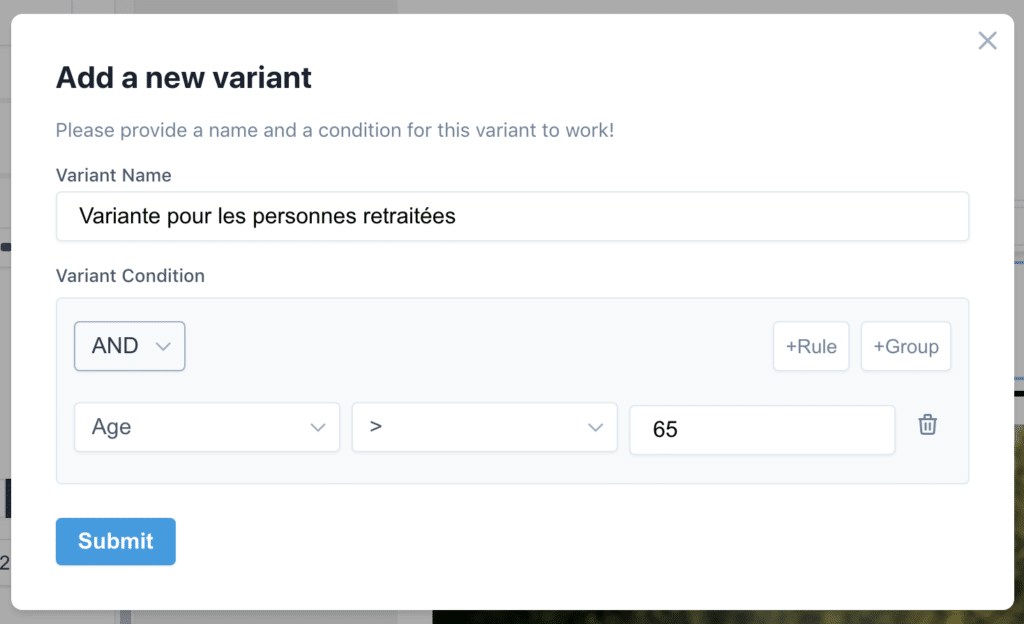
One of the foundations of personalization is dynamic content. A punchy and targeted message—here is an example of what can be done with dynamic content. More polished, better suited to different browser resolutions: you will appreciate the “query builder”.
Web preview and now mobile too
You already had a rendering preview while building your email. We have now added two buttons to preview the email on desktop and mobile (for the majority of email clients).
Next step: integrating an email rendering tester across all clients such as Email On Acid or Litmus.
Multi-column sections
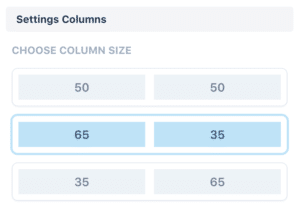
You already had multi-column sections. You are used to them stacking one under another on mobile (we say they “stack”). New settings have appeared to meet your graphic needs in just a few clicks: you can now adjust the size of each of your columns to suit your needs!
Drag and drop, or “glisser-déposer” in French
New interface, new technologies. At the heart of our new builder, we placed ergonomics and the best tools for managing the smoothest drag and drop possible.
The social media slot
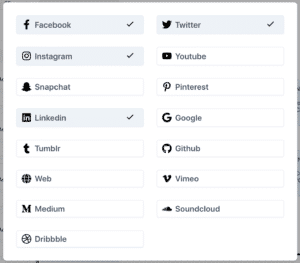
It was already available, and it is now greatly improved. The list of available social networks is larger and they can now be customized: color, custom image, display format—it’s up to you!
New features
The change in technologies made it possible to implement new features. It was not the objective at launch, but we decided to go even further.
Undo / redo

Made a mistake? One click and the action is canceled.
The result of a series of actions isn’t right? Cancel several times and you’re done.
Applying a style to all elements

Very practical! First you focus on the structure, then the style. Once the first button is done, with one click its style is duplicated across all the buttons! It’s child’s play and a considerable time saver!
Pre-header integration

You could do it by adding a first sentence of content at the top of your email. This text is very important because it is the first piece of content visible in your contacts’ inbox after the email subject.
This text is now editable as a setting, invisible in the email content, but properly recognized by email clients!
Planned developments
Brick, the next-generation email builder, is almost ready. You will be able to get started with it and create your emails more easily than ever.
But Brick is also a great springboard for the future of emailing. We will soon be working on functional improvements that you won’t be able to live without.
Here is a list of projects we would like to develop in the coming months. Feel free to tell us how to complete it!
- Automate A/B decision-making
- Integrate Spam Assassin to rate the quality of the email content
- Integrate Litmus or Email On Acid to preview emails across different devices/clients
- Save an email section as a “section template”
Next episode
In the coming days, discover the next installment of our series preparing you for the release of our new email builder with episode 4: responsiveness first with MJML.
Also read: Behind the scenes of the email builder!
Also read: New email builder: Responsiveness first with MJML
Also read: Looking back at the Ask Me Anything: New email builder
Also read: A new era for our email builder